Compression
A1.1.8 - Describe the concept of compression
Key Concepts
Why Compress? (A1.1.8)
Compression reduces the number of bits needed to represent data. Files you download, videos you stream and photos you share are usually compressed, because compression reduces file sizes, storage use and the amount of data sent over a network.
- Save storage space: compressed files take up less room on disk, which also reduces storage costs
- Faster transmission: smaller files require less bandwidth and transfer more quickly over networks, reducing upload and download times
- Meet size restrictions: many services impose file size limits (e.g., email attachment limits); compression can bring a file within these constraints
- Enable streaming: real-time media (video calls, music streaming) would be impractical without compression because the uncompressed data rate would exceed available network bandwidth
- Reduce costs: less storage and less bandwidth both translate to lower operational expenses, especially for organisations handling large volumes of data
- Compression ratio = original size / compressed size (e.g., 10 MB reduced to 2 MB = ratio of 5:1)
Lossy vs Lossless
The most important distinction in compression is whether any data is permanently lost during the process.
Lossless Compression
With lossless compression, the original data can be perfectly reconstructed from the compressed version. Not a single bit is lost.
- Used when accuracy is critical: medical images, source code, legal documents, databases
- Examples: PNG images, FLAC audio, ZIP archives, text files
- Typically achieves lower compression ratios (2:1 to 3:1)
Lossy Compression
With lossy compression, some data is permanently discarded during compression. The original can never be perfectly recovered.
- Used when small quality loss is acceptable: photos, music, video
- Achieves much higher compression ratios (10:1 to 50:1 or more)
- Examples: JPEG images, MP3/AAC audio, MP4/H.264 video
Comparison Table
| Feature | Lossless | Lossy |
|---|---|---|
| Data loss | None | Some |
| Compression ratio | Lower (2:1 to 3:1 typical) | Higher (10:1 to 50:1+) |
| Reconstruct original? | Yes | No |
| Best for | Text, code, medical images | Photos, music, video |
| Examples | PNG, ZIP, FLAC | JPEG, MP3, MP4 video (H.264) |
Run-Length Encoding (RLE)
Run-Length Encoding is the simplest lossless compression technique. It replaces consecutive identical values with a count + value pair.
Example: AAABBBCCDDDDDD becomes 3A3B2C6D
RLE works well when data contains long runs of repeated values (e.g., simple graphics with large areas of the same colour). It works poorly with highly varied data - encoding ABCDEF as 1A1B1C1D1E1F actually increases the size.
Step-by-Step Algorithm
- Read the input left to right
- Count consecutive identical characters
- Write the count followed by the character
- Repeat until end of input
Transform Coding (DCT)
Transform coding is used in JPEG, MPEG, and audio compression formats. Before anything is thrown away, the data is rewritten in a form that separates the parts people notice from the parts they barely see.
For a photo, JPEG works on one small square block of pixels at a time.
- Why it works: people notice a small mistake in the overall shade of an area far more than a small mistake in its fine texture, and in most photos the fine texture makes up only a small part of each block.
- The transform: a block normally stores one brightness value per pixel. The Discrete Cosine Transform (DCT) rewrites the same block as a mix of standard patterns, from a flat even shade, through gentle fades, to fine stripes and checks that switch quickly between light and dark. Each number in the result says how much of one pattern the block contains. The pixel-by-pixel description is called the spatial domain, and the description by patterns is called the frequency domain: slowly changing patterns are low-frequency, quickly changing ones are high-frequency.
- Quantization: next, each pattern’s number is divided by a step size and rounded, with bigger steps for the high-frequency patterns. Many of those numbers round to zero and take almost no space to store. Rounding throws information away for good, so this is the lossy step.
- The trade-off: bigger steps give a smaller file but more visible blur and blockiness.
Enrichment: Huffman Encoding
This goes beyond the IB syllabus, so it is not assessed.
Huffman encoding is a lossless technique that assigns variable-length codes to characters based on their frequency. More frequent characters receive shorter codes, reducing the overall size.
- Build a frequency table - count how often each character appears
- Create a binary tree - combine the two least frequent nodes repeatedly until one tree remains
- Assign codes - left branches = 0, right branches = 1; read codes from root to leaf
Example: In the string AABBBCCCC:
- C appears 4 times - gets the shortest code, 1 bit (e.g.,
0) - B appears 3 times - gets a 2-bit code (e.g.,
10) - A appears 2 times - also gets a 2-bit code (e.g.,
11)
With only three characters there are just two code lengths: the most frequent character gets 1 bit and the other two get 2 bits each. The string needs 4x1 + 3x2 + 2x2 = 14 bits instead of 9 x 8 = 72 bits in 8-bit ASCII.
Huffman encoding is always lossless - the original data can be decoded perfectly because no code is a prefix of another.
Watch: Text Compression Videos
Huffman coding explained - how lossless compression assigns shorter codes to frequent characters.

Interactive Code.org demo showing how text compression reduces file size.

Overview of compression techniques - run-length encoding, Huffman, and perceptual coding.
Enrichment: JPEG Compression Pipeline
This goes beyond the IB syllabus, so it is not assessed.
JPEG compression uses a multi-step pipeline:
- Divide the image into 8x8 pixel blocks
- Apply DCT to each block - transforms pixel values into frequency coefficients
- Quantize - reduce the precision of frequency coefficients (this is where data is lost)
- Encode - apply lossless encoding (RLE + Huffman) to the quantized values
The “quality slider” in image editors controls the aggressiveness of step 3. Lower quality = more quantization = smaller file = more visible artifacts (blockiness, colour banding).
Watch: JPEG Compression Videos

Step-by-step JPEG compression: DCT, quantisation, and how a 46MB image becomes 4MB.
How JPEG handles colour data - chroma subsampling and why your eyes are tricked.
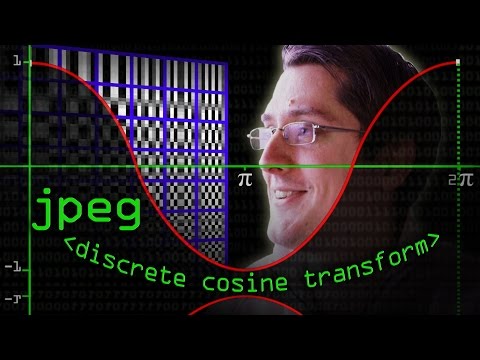
The maths behind JPEG: how DCT transforms image blocks into frequency data for compression.

Quick visual summary of JPEG compression in under a minute.
Enrichment: MPEG and Temporal Compression
This goes beyond the IB syllabus, so it is not assessed.
Video compression exploits the fact that consecutive frames in a video are usually very similar. MPEG uses three types of frames:
- I-frames (Intra-coded): complete images compressed like JPEG - serve as reference points
- P-frames (Predicted): store only the differences from the previous frame
- B-frames (Bi-directional): store differences from both the previous and next frames
This exploits temporal redundancy - instead of storing every pixel of every frame, only the changes between frames are stored. A typical sequence might be: I B B P B B P B B I …
Worked Examples
Example 1: Step-by-Step RLE Encoding
Problem: Apply RLE to the string WWWWBBBWWWWWBBB
Step 1: Read from the left. Count W’s: 4 consecutive W’s. Write 4W.
Step 2: Count B’s: 3 consecutive B’s. Write 3B.
Step 3: Count W’s: 5 consecutive W’s. Write 5W.
Step 4: Count B’s: 3 consecutive B’s. Write 3B.
Output: 4W3B5W3B
Compression ratio: 15 characters reduced to 8 characters = 15/8 = 1.88:1
Example 2: RLE Decoding
Problem: Decode the RLE string 2A5B1C3D
Step 1: 2A means 2 copies of A: AA
Step 2: 5B means 5 copies of B: BBBBB
Step 3: 1C means 1 copy of C: C
Step 4: 3D means 3 copies of D: DDD
Output: AABBBBBCDDD
Example 3: Choosing Lossy vs Lossless
Scenario A: A hospital needs to compress X-ray images for archival storage.
Answer: Must use lossless compression (e.g., PNG). Medical images require exact accuracy - even a small loss of detail could lead to misdiagnosis. The lower compression ratio is an acceptable trade-off for guaranteed accuracy.
Scenario B: A website needs to display photo thumbnails that load quickly.
Answer: Can use lossy compression (e.g., JPEG). Small quality loss is acceptable for web thumbnails, and the much higher compression ratio means faster page loads and less bandwidth usage.
Quick Check
Q1. Which type of compression allows the original data to be perfectly reconstructed?
Q2. What does RLE stand for?
Q3. JPEG is an example of which type of compression?
Q4. When would RLE perform poorly?
Q5. What is the purpose of the Discrete Cosine Transform (DCT) in compression?
Trace the Encoding
Given the input string AAABBCCCCDDAB, trace the RLE encoding process step by step.
At each step, identify the current run of identical characters, count them, and build up the encoded output.
| Step | Characters | Count | Encoded Output So Far |
|---|---|---|---|
| 1 | AAA | ||
| 2 | BB | ||
| 3 | CCCC | ||
| 4 | DD | ||
| 5 | A | ||
| 6 | B |
Spot the Error
A student applied RLE to the string AABBBCC. They wrote the following steps. Select the line with the error, then pick the fix.
Pick the correct fix for this line:
Fill in the Blanks
Complete the following statements about compression techniques:
Compression Types
=================
 compression allows the original data to be perfectly reconstructed.
 compression achieves higher ratios by permanently discarding some data.

Run-Length Encoding
===================
RLE replaces consecutive identical values with a  and  pair.

Transform Coding
================
JPEG uses  to convert image blocks from spatial to frequency domain.

File Format Classification
==========================
PNG is an example of compression.Predict the Output
Apply Run-Length Encoding to the following string:
Input: AAABBBCCDDDDDDWhat is the compressed output?
Practice Exercises
Core
[Core]Compression: lossless[3 marks]Apply Run-Length Encoding to each of the following strings:RRRRGGGGBBAABBCCXXXXXXX
-
[Core]Compression: lossless[2 marks]Decode the following RLE string back to the original:4A2B3C1D [Core]Compression: lossy[6 marks]State whether each of the following uses lossy or lossless compression: ZIP, MP3, PNG, JPEG, FLAC, an MP4 video encoded with H.264/AAC.
Extension
[Extension]Compression evaluation[6 marks]Compare JPEG and PNG compression. For each of the following scenarios, recommend which format to use and explain why:- A photograph of a sunset for a travel blog
- A screenshot of source code for a programming tutorial
- A company logo with transparent background
-
[Extension]Compression: lossless[4 marks]Apply RLE to the stringAAAAABBBCCCCCCCC(16 characters). Calculate the compressed length and the compression ratio. [Extension]Compression: lossless[4 marks]Explain why RLE is classified as lossless compression. How can you guarantee that the original data is perfectly recovered from the compressed version?
Challenge
-
[Challenge]Compression evaluation[8 marks]A streaming service needs to compress both audio and video for real-time playback. For each media type, evaluate which compression methods they should use, considering bandwidth constraints, quality requirements, and latency. Explain the trade-offs involved. -
[Challenge]Compression: lossy[7 marks]Explain why MPEG uses three different frame types (I-frames, P-frames, and B-frames) rather than compressing each frame independently like JPEG. How does this approach exploit temporal redundancy, and what are the implications for seeking (jumping to a specific time) in a video?
Connections
- Prerequisites: None specific (standalone topic)
- Related: Secondary Storage - compression reduces storage needs for all secondary storage media
- Related: Cloud Computing - compression reduces bandwidth for cloud services and data transfer
- Forward: Communication Layer - compression is essential for efficient network data transmission