GPU
A1.1.2 - GPU, A1.1.3 (HL) - CPU vs GPU comparison
Key Concepts
What is a GPU?
A GPU (Graphics Processing Unit) is a specialised processor designed for parallel computation. While a CPU has a small number of complex cores optimised for sequential tasks, a GPU contains thousands of simple cores that execute the same operation on many data points simultaneously.
GPUs were originally built for graphics rendering - calculating the colour and position of millions of pixels every frame. Today they are also used for general-purpose computing (GPGPU), where any problem that involves repetitive calculations on large datasets can benefit from GPU acceleration.
Real-World Applications
- Gaming - rendering 3D graphics in real-time; calculating lighting, shadows, and textures for millions of pixels per frame
- AI / Machine Learning - training neural networks involves massive matrix multiplications that map perfectly to parallel execution
- Scientific simulations - weather modelling, molecular dynamics, fluid simulations - all require the same calculation applied to millions of data points
- Video rendering - encoding and decoding video frames in parallel dramatically reduces processing time
- Cryptocurrency mining - performing billions of hash calculations in parallel (historical note: this drove GPU shortages in 2017-2021)
GPU Architecture Overview
A GPU is organised into Streaming Multiprocessors (SMs), each containing many simple cores. Key architectural features include:
- Massive parallelism - thousands of cores working simultaneously
- High memory bandwidth - optimised for moving large amounts of data quickly (throughput), rather than accessing individual values quickly (latency)
- SIMD processing - Single Instruction, Multiple Data - a group of cores executes the same instruction on different data points at the same time
- Simple cores - each core is far less capable than a CPU core, but the sheer number of them compensates when the workload is parallelisable

Deep dive into GPU architecture: parallel cores, SIMD processing, and why GPUs excel at graphics and AI workloads.
Enrichment: Rendering Pipeline
This goes beyond the IB syllabus, so it is not assessed.
When a GPU renders a 3D scene, data flows through a series of stages called the rendering pipeline:
- Vertex processing - transforms 3D coordinates of each vertex (corner point) into 2D screen positions; applies rotation, scaling, and perspective
- Rasterization - converts the geometric shapes (triangles) into individual pixels on the screen; determines which pixels each triangle covers
- Fragment processing - calculates the final colour of each pixel by applying textures, lighting, and shading effects
- Display - the completed frame is written to the frame buffer, an area of the GPU’s memory that holds the image on screen, and is sent from there to the monitor
Each stage processes many elements in parallel - thousands of vertices, then millions of pixels - which is why GPUs need so many cores.
Enrichment: Specialised GPU Cores
This goes beyond the IB syllabus, so it is not assessed.
Modern GPUs contain different types of specialised cores:
- CUDA cores (NVIDIA) / Stream processors (AMD) - general-purpose parallel processing cores that handle a wide range of computations
- Tensor cores - optimised specifically for matrix operations used in AI and machine learning; can perform mixed-precision matrix multiply-and-accumulate in a single operation
- RT cores - dedicated hardware for real-time ray tracing, which simulates realistic lighting by tracing the path of light rays as they bounce off surfaces
HL Section: CPU vs GPU (A1.1.3)
The following section on CPU vs GPU comparison is assessed at HL level only.
Detailed Comparison
| Aspect | CPU | GPU |
|---|---|---|
| Design philosophy | Latency-optimised | Throughput-optimised |
| Core count | Few (4-64) complex cores | Many (thousands) simple cores |
| Core complexity | Full ALU, branch prediction, out-of-order execution | Simple ALU, in-order execution |
| Processing model | Sequential / few parallel threads | Massively parallel (SIMD/SIMT) |
| Memory access | Large caches, low latency | High bandwidth, higher latency |
| Best for | Complex logic, branching, sequential tasks | Repetitive calculations on large datasets |
| Power efficiency | Better per-core | Better per-operation (for parallel workloads) |
| Task coordination | OS handles threads | GPU scheduler assigns warps/wavefronts |
Why GPUs Struggle with Branching
GPUs achieve their speed by executing the same instruction across a group of cores simultaneously (SIMD - Single Instruction, Multiple Data). When code contains many if/else branches, different cores in the group may need to follow different paths. The group cannot follow two paths at the same time, so it runs them one after the other: the cores that took the if path run it while the rest of the group sits idle, and then the rest run the else path while the first cores wait. The group takes as long as both paths together, which wastes processing power. This is called branch divergence.
For tasks with heavy conditional logic - such as compiling code, running an operating system, or processing complex business rules - a CPU’s sophisticated branch prediction and out-of-order execution make it far more efficient.
SIMD Concept
Single Instruction, Multiple Data means one instruction is sent to a group of cores, each operating on a different piece of data. A large GPU runs many such groups at once, and different groups can be working on different instructions. For example, to brighten an image, the instruction “add 20 to pixel value” is sent once but executed on thousands of pixels simultaneously. This is why GPUs excel at image processing, matrix math, and physics simulations - they all involve applying the same operation to large datasets.
CPUs and GPUs Working Together
A program that uses a GPU runs on both processors. The CPU runs the program and hands the GPU the parts that suit it; the GPU carries out those parts and hands the results back. Three things have to be managed.
Task division. The CPU keeps the work full of decisions and steps that depend on each other: running the operating system, reading files, handling user input and deciding what happens next. It passes the GPU the work that applies the same calculation to a large amount of data.
Data sharing. The GPU can only work on data it can reach.
- A separate graphics card has its own memory (VRAM). The CPU copies the input data from main memory (RAM) to the GPU’s memory over the connection between them, the GPU works on it there, and the results are copied back to RAM for the CPU to use.
- Copying takes time, so programs copy as little as they can. Data that is needed again stays in the GPU’s memory between steps, and often only a small result comes back.
- A GPU built into the same chip as the CPU, as in most phones and many laptops, usually shares main memory with the CPU. Both processors can reach the same data, so sharing the same buffers can avoid separate copies. The cost is that they compete for the same memory, which usually moves data more slowly than a graphics card’s own VRAM.
Coordinating execution. The CPU is in charge of the order of work.
- The CPU places work for the GPU in a queue (commands such as “copy this data” and “run this calculation on it”) and carries on with its own work instead of waiting.
- The GPU works through the queue in order. A copy moves data between memories (on many GPUs a separate copy unit handles this), while a calculation is spread across the GPU’s many cores.
- Before the CPU uses a result, it has to know the GPU has finished. It waits at an agreed point in the program, or the GPU signals that the work is done, for example with an interrupt. A result read too early would still hold old values.
Example: training an image model. A program learns to recognise plant species from 40,000 photos of leaves, 250 photos at a time.
| Step | CPU | GPU |
|---|---|---|
| 1 | Reads 250 photos from storage, decodes them and resizes them | Waits for work |
| 2 | Copies the batch into the GPU’s memory and queues a training step | Starts the training step |
| 3 | Prepares the next 250 photos while the GPU works | Runs the same calculations on all 250 photos in parallel; the model’s weights stay in GPU memory |
| 4 | Waits for the finish signal, then copies back one number: how far the model’s answers were from the right ones on this batch | Signals that the step is finished |
| 5 | Repeats steps 2 to 4 for each batch (160 batches cover all 40,000 photos once), then copies the trained weights back and saves them to a file | Runs one training step per batch |
In step 3 both processors work at the same time. Overlapping the work in this way reduces idle time, although each processor still waits at points, as in steps 1 and 4. The copying in steps 2 and 4 has a cost, though. For a small amount of data or a short calculation, the copying can take longer than the GPU saves, and the CPU on its own finishes sooner.
Watch: Video Resources
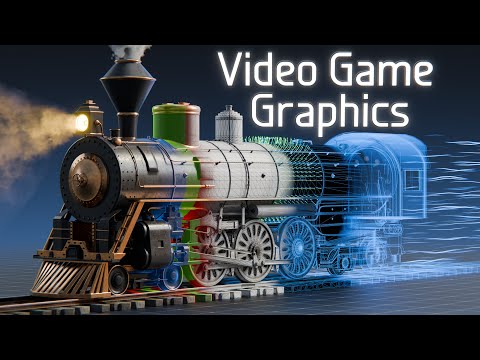
How GPUs render 3D graphics in real time - from polygons to pixels on your screen.

Threads, processes, and parallelism explained - key to understanding why GPUs use thousands of cores.
Worked Examples
Example 1: Which Processor?
For each task, determine whether a CPU or GPU would be more suitable, and explain why.
| Task | Best processor | Reasoning |
|---|---|---|
| Word processing | CPU | Sequential operations with complex branching (spell-check, formatting rules); low parallelism |
| Training a neural network | GPU | Involves massive matrix multiplications - the same operation applied to millions of weights in parallel |
| Compiling code | CPU | Complex dependency analysis between code files; sequential stages with heavy branching |
| Real-time 3D rendering | GPU | Millions of pixels must be calculated every frame; same lighting/shading calculation applied to each pixel in parallel |
The pattern: if a task involves repeating the same simple calculation on many data points, the GPU wins. If the task involves complex decision-making, branching, or sequential dependencies, the CPU wins.
Example 2: GPU Parallelism Analogy
Consider a school analogy to understand the difference:
-
CPU approach = 1 expert teacher grading 30 essays one at a time. Each essay requires deep reading, nuanced judgment, and different feedback. The teacher is fast per essay (complex reasoning) but must work sequentially. Total time: 30 essays at 10 minutes each = 300 minutes.
-
GPU approach = 1,000 teaching assistants each grading 1 simple multiple-choice quiz simultaneously. Each quiz is identical in format and requires only comparing answers to an answer key (same operation, different data). Each TA is slower than the expert teacher at complex tasks, but the work is done in parallel. Total time: 1,000 quizzes in about 1 minute.
The key insight: GPUs are not “faster” than CPUs in general. They are faster at specific types of work - simple, repetitive operations that can be split across many cores.
Quick Check
Q1. What is the main advantage of a GPU compared to a CPU?
Q2. Which of the following tasks is least suitable for GPU processing?
Q3. What does the acronym SIMD stand for?
Q4. Why are GPUs widely used for training AI models?
Spot the Error
A student wrote this description of GPU architecture for their exam. One line contains a common misconception. Select the incorrect line, then pick the fix.
Pick the correct fix for this line:
Fill in the Blanks
Complete the description of GPU architecture by filling in each blank.
Fill in the blanks to complete this summary of how GPUs work:
A GPU contains  of simple cores, while a CPU has
 complex cores.

GPUs are optimised for  rather than latency.

The processing model used by GPUs is called
(same instruction on multiple data points).

Two major GPU applications are training  models
and rendering  graphics, because these involve
repetitive calculations on large datasets.
Predict the Output
A program needs to sort a list of 1,000 names alphabetically, with many conditional comparisons and string operations. Each comparison depends on the result of previous swaps. Would a CPU or GPU be more suitable for this task?
Type your answer:
A photo editing application needs to increase the brightness of every pixel in a 4K image (over 8 million pixels) by adding 20 to each colour channel. Would a CPU or GPU be more suitable?
Type your answer:
Practice Exercises
Core
-
[Core]GPU[6 marks]Describe the GPU’s role in three different real-world scenarios. For each, explain what kind of data the GPU processes in parallel and why a CPU alone would be too slow. -
[Core]GPU vs CPU[6 marks]List three key differences between CPU and GPU architecture. For each difference, explain how it affects what tasks the processor is best suited for. -
[Core]GPU[4 marks]Explain why GPUs are essential for modern gaming. Reference the number of pixels that must be calculated per frame and why parallel processing is necessary.
Extension
-
[Extension]GPU vs CPU[6 marks]A school runs a student database system that handles enrollment records, generates report cards, and processes individual student queries. Evaluate whether adding a GPU would significantly improve performance. Justify your answer by analysing the types of operations involved. -
[Extension]GPU vs CPU[6 marks]Compare how a CPU and GPU would each handle processing 1 million image pixels (e.g., converting a photo from colour to greyscale). Describe the approach each processor would take and estimate the relative time difference.
Challenge
-
[Challenge]GPU vs CPU[8 marks]A company wants to train an AI model during the day and run their office productivity software (email, spreadsheets, word processing) throughout the day. Design a system that uses both CPU and GPU effectively, explaining the role of each processor for each type of workload. -
[Challenge]GPU vs CPU[7 marks](HL) Explain why a GPU would struggle with a program that has manyif/elsebranches and sequential dependencies. Use the concept of SIMD and branch divergence in your answer, and give a specific example of such a program.
Connections
- Prerequisites: CPU Architecture - understand CPU components and the FDE cycle before comparing to GPU
- Related: Logic Gates - logic gates form the fundamental building blocks of both CPU and GPU cores
- Forward: Cloud Computing - cloud providers offer GPU instances (e.g., AWS, Google Cloud) for AI/ML workloads
- Forward: Applications Layer - machine learning applications rely on GPU acceleration for training and inference