CPU Architecture (CPU ရဲ့ ဖွဲ့စည်းပုံ)
A1.1.1: CPU components, A1.1.5: FDE cycle, A1.1.6 (HL): Pipelining
မြန်မာလို: A1.1.1: CPU ရဲ့ အစိတ်အပိုင်းများ၊ A1.1.5: FDE cycle (ညွှန်ကြားချက်ကို ယူ၊ နားလည်၊ လုပ်ဆောင်တဲ့ စက်ဝန်း)၊ A1.1.6 (HL): Pipelining (ညွှန်ကြားချက် အဆင့်တွေကို မစောင့်ဘဲ ထပ်ပြီး လုပ်ခြင်း)။ ဒါတွေက IB Computer Science (နိုင်ငံတကာ ကျောင်းတွေမှာ သင်တဲ့ ကွန်ပျူတာသိပ္ပံ သင်ရိုး) ထဲက ခေါင်းစဉ် နံပါတ်တွေပါ။ SL (Standard Level) နဲ့ HL (Higher Level) ဆိုတာ IB သင်တန်းရဲ့ အဆင့်နှစ်ဆင့်ဖြစ်ပြီး (HL) လို့ ရေးထားတဲ့ အပိုင်းကို HL မှာပဲ လေ့လာရပါတယ်။
အဓိက အယူအဆများ
CPU ရဲ့ အစိတ်အပိုင်းများ (A1.1.1)
Central Processing Unit (CPU) (ကွန်ပျူတာရဲ့ အဓိက processor) က ကွန်ပျူတာရဲ့ ဦးနှောက် ဖြစ်ပါတယ်။ Memory (မှတ်ဉာဏ်) ထဲက instruction (ညွှန်ကြားချက်) တွေကို fetch (ယူခြင်း)၊ decode (ဘာလုပ်ရမလဲ နားလည်အောင် ခွဲခြမ်းခြင်း) နဲ့ execute (လုပ်ဆောင်ခြင်း) လုပ်ပါတယ်။ Web browser ကနေ game အထိ ကိုယ် run တဲ့ program တိုင်းဟာ နောက်ဆုံးမှာတော့ CPU က လုပ်ဆောင်ပေးတဲ့ instruction တွေရဲ့ အစဉ်တစ်ခုပဲ ဖြစ်ပါတယ်။
CPU ထဲမှာ အလုပ်လုပ်တဲ့ အဓိက အစိတ်အပိုင်း သုံးခု ပါပါတယ်:
ALU (Arithmetic Logic Unit) (တွက်ချက်ပြီး နှိုင်းယှဉ်ပေးတဲ့ CPU အပိုင်း)
- Arithmetic operation (ဂဏန်း တွက်ချက်မှု) တွေကို လုပ်ဆောင်ပါတယ်: ပေါင်းခြင်း၊ နုတ်ခြင်း၊ မြှောက်ခြင်း၊ စားခြင်း
- Logic operation (logic တွက်ချက်မှု) တွေကို လုပ်ဆောင်ပါတယ်: AND, OR, NOT နဲ့ comparison (တန်ဖိုး နှစ်ခုကို နှိုင်းယှဉ်ခြင်း) တွေ (ညီခြင်း၊ ပိုကြီးခြင်း၊ ပိုငယ်ခြင်း)
- Register (CPU ထဲက အမြန်ဆုံး သိမ်းဆည်းရာ) တွေကနေ input တွေ ယူပြီး ရလဒ်တွေကို Accumulator (AC) ထဲ ပြန်ရေးပါတယ်
CU (Control Unit) (CPU ထဲက ညွှန်ကြားချက် ထိန်းချုပ်ရေး အပိုင်း)
- CPU တစ်ခုလုံးရဲ့ အလုပ်လုပ်ပုံကို ညွှန်ကြားပြီး ညှိနှိုင်းပေးပါတယ်
- Memory ထဲက instruction တွေကို fetch လုပ်ပြီး signal တွေနဲ့ command တွေအဖြစ် decode လုပ်ပါတယ်
- ဒေတာ ရွေ့လျားမှုကို ညွှန်ကြားဖို့ တခြား အစိတ်အပိုင်းတွေဆီ control signal (ဘာလုပ်ရမလဲ ညွှန်ကြားတဲ့ signal) တွေ ပို့ပါတယ်၊ ဥပမာ ALU၊ memory နဲ့ I/O device (ဒေတာ အဝင်အထွက် စက်ပစ္စည်း) တွေဆီ ပို့ပါတယ်
- System clock (clock pulse တွေကို ထုတ်ပေးတဲ့ circuit) ဆီက clock pulse (အချိန်မှန်မှန် ထွက်တဲ့ အချိန်ကိုက် signal) တွေကို သုံးပြီး CPU ထဲက လုပ်ဆောင်ချက် အားလုံးကို အချိန်ကိုက်ပေးပါတယ်
- အစိတ်အပိုင်းတိုင်း မှန်ကန်တဲ့ အချိန်မှာ အလုပ်လုပ်အောင် လုပ်ဆောင်ချက်တွေရဲ့ အချိန်နဲ့ အစဉ်ကို စီမံပါတယ်
Register များ: CPU ထဲမှာ ရှိတဲ့ သေးငယ်ပြီး အလွန် မြန်တဲ့ သိမ်းဆည်းရာ နေရာတွေပါ:
| Register | အမည် အပြည့်အစုံ | ရည်ရွယ်ချက် |
|---|---|---|
| PC | Program Counter | Fetch လုပ်ရမယ့် နောက် instruction ရဲ့ address (memory ထဲက နေရာ လိပ်စာ) ကို သိမ်းထားပါတယ် |
| MAR | Memory Address Register | ဖတ်နေတဲ့ ဒါမှမဟုတ် ရေးနေတဲ့ memory နေရာရဲ့ address ကို သိမ်းထားပါတယ် |
| MDR | Memory Data Register | Primary memory (CPU က တိုက်ရိုက် ယူသုံးတဲ့ memory) ဆီ ပို့နေတဲ့ ဒါမှမဟုတ် အဲဒီကနေ ယူလာတဲ့ ဒေတာ ဒါမှမဟုတ် instruction တွေကို သိမ်းထားပါတယ် |
| IR | Instruction Register | Decode လုပ်ပြီး execute လုပ်နေတဲ့ လက်ရှိ instruction ကို သိမ်းထားပါတယ် |
| AC | Accumulator | ALU operation တွေရဲ့ ရလဒ် ကို သိမ်းထားပါတယ် |
MAR နဲ့ MDR ကို ရောထွေးတာက အဖြစ်များတဲ့ အမှားပါ။ မှတ်ထားပါ: MAR က address (ဘယ်မှာ ကြည့်ရမလဲ) ကို သိမ်းထားပြီး MDR က ဒေတာ (အဲဒီမှာ တွေ့ခဲ့တဲ့ အရာ) ကို သိမ်းထားပါတယ်။
ကြည့်ရန်: Video များ
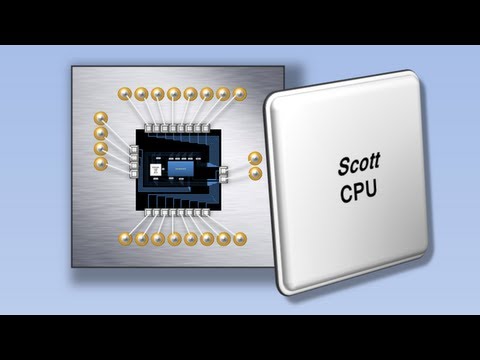
Visual walkthrough of CPU components (ALU, CU, registers) and how they process instructions.

How microchips are manufactured, from silicon wafers to working processors.
Buses (အစိတ်အပိုင်းတွေကြား ဒေတာ သွားတဲ့ လမ်းကြောင်းများ)
Bus တွေဆိုတာ CPU ရဲ့ အစိတ်အပိုင်းတွေနဲ့ memory ကြား signal တွေကို သယ်ပေးတဲ့ လျှပ်စစ် လမ်းကြောင်းတွေပါ:
| Bus | ဦးတည်ရာ | ရည်ရွယ်ချက် |
|---|---|---|
| Address Bus | Unidirectional (တစ်ဖက်တည်း သွားတဲ့၊ CPU -> memory) | ယူသုံးနေတဲ့ memory address ကို သယ်ပါတယ် |
| Data Bus | Bidirectional (နှစ်ဖက်လုံး သွားတဲ့၊ CPU <-> memory) | ဖတ်နေတဲ့ ဒါမှမဟုတ် ရေးနေတဲ့ ဒေတာ ကို သယ်ပါတယ် |
| Control Bus | Bidirectional | Control signal တွေကို သယ်ပါတယ်: read/write၊ clock pulse၊ interrupt (CPU ကို ခဏ ရပ်ခိုင်းတဲ့ signal)၊ CU ကနေ လာတဲ့ timing signal (အချိန်ကိုက် signal) တွေ |
Address bus က unidirectional ဖြစ်တဲ့ တစ်ခုတည်းသော bus ပါ: CPU က memory ကို ဘယ်နေရာမှာ ကြည့်ရမလဲ ပြောပေမယ့် memory က address တွေကို ဘယ်တော့မှ ပြန်မပို့ပါဘူး။ ဒေတာက နှစ်ဖက်လုံး (ဖတ်တာရော ရေးတာပါ) စီးတာကြောင့် data bus က bidirectional ဖြစ်ရပါမယ်။
Control bus က ဘာကြောင့် bidirectional ဖြစ်သလဲ။ Control signal တွေက နှစ်ဖက်လုံး စီးပါတယ်။ CPU က တခြား အစိတ်အပိုင်းတွေဆီ signal တွေ ပို့ပါတယ်: clock pulse၊ read/write request (ဖတ်ဖို့၊ ရေးဖို့ တောင်းဆိုချက်)၊ reset (ပြန်စခိုင်းခြင်း) နဲ့ interrupt acknowledge (interrupt ကို လက်ခံကြောင်း အကြောင်းပြန်ခြင်း)။ Memory နဲ့ device တွေကလည်း CPU ဆီ signal တွေ ပြန်ပို့ပါတယ်: key တစ်ခု နှိပ်လိုက်တဲ့အခါ ဒါမှမဟုတ် network packet (network ပေါ် ပို့တဲ့ ဒေတာ အစိတ်အပိုင်းငယ်) တစ်ခု ရောက်လာတဲ့အခါ interrupt request (interrupt တောင်းဆိုချက်)၊ device တစ်ခုက bus ကို ခဏ ထိန်းချုပ်ချင်တဲ့အခါ bus request/grant (bus သုံးခွင့် တောင်းခြင်း/ပေးခြင်း) signal တွေ၊ နှေးတဲ့ peripheral (ကွန်ပျူတာနဲ့ ချိတ်ထားတဲ့ အပြင် စက်ပစ္စည်း) တွေက အကြောင်းမပြန်ခင် အချိန် ပိုလိုကြောင်း CPU ကို ပြောတဲ့ ready/wait signal တွေ ပြန်ပို့ပါတယ်။ ရိုးရှင်းအောင် ဆွဲထားတဲ့ သင်ကြားရေး ပုံတွေ (ဥပမာ But How Do It Know? စာအုပ်ထဲက Scott ရဲ့ CPU) မှာ interrupt တွေနဲ့ အပြင်က device တွေကို လုံးဝ ချန်ထားလို့ control bus ကို တစ်ဖက်တည်း သွားတဲ့ bus အဖြစ် တခါတလေ ဆွဲထားပါတယ်။ စနစ် အပြည့်အစုံမှာတော့ control bus က signal တွေကို နှစ်ဖက်လုံး သယ်တာကြောင့် bidirectional လို့ ဖော်ပြပါ။
CPU ရဲ့ performance ကို သက်ရောက်တဲ့ အချက်များ
CPU က instruction တွေကို ဘယ်လောက် မြန်မြန် လုပ်ဆောင်နိုင်လဲ ဆိုတာကို အချက် အများအပြားက ဆုံးဖြတ်ပါတယ်:
- Clock speed (clock နှုန်း): GHz နဲ့ တိုင်းပြီး တစ်စက္ကန့်မှာ ဖြစ်တဲ့ clock cycle (clock pulse တစ်ချက်စာ အချိန်) အရေအတွက် ဖြစ်ပါတယ်။ Clock က fetch-decode-execute cycle ရဲ့ အဆင့်တစ်ခုချင်းစီကို အချိန်ကိုက်ပေးပြီး instruction တစ်ခုမှာ များသောအားဖြင့် clock cycle အများ လိုတာကြောင့် clock speed က တစ်စက္ကန့်မှာ လုပ်တဲ့ instruction အရေအတွက်ကို တိုက်ရိုက် ရေတွက်တာ မဟုတ်ပါဘူး။ Processor ဒီဇိုင်း တူတူဆိုရင် clock speed ပိုမြင့်လေ အချိန် တစ်ခုအတွင်း instruction ပိုများများ လုပ်ဆောင်နိုင်လေ ဖြစ်ပါတယ်။
- Core အရေအတွက်: core (instruction တွေကို သီးခြား run နိုင်တဲ့ CPU ထဲက processing unit) တစ်ခုချင်းစီက ကိုယ်ပိုင် instruction stream (ဆက်တိုက် run ရမယ့် instruction အစဉ်) ကို သီးခြား လုပ်ဆောင်နိုင်တာကြောင့် multi-core (core အများကြီး ပါတဲ့ CPU) processor က parallel processing (အလုပ်တွေကို တစ်ပြိုင်နက် လုပ်ဆောင်ခြင်း) နဲ့ အလုပ် အများကို တစ်ပြိုင်နက် ကိုင်တွယ်နိုင်ပါတယ်။
- Cache ရဲ့ အရွယ်အစားနဲ့ level တွေ: cache (CPU နဲ့ RAM ကြားက မြန်တဲ့ memory) ပိုကြီးလေ မကြာခဏ သုံးတဲ့ ဒေတာနဲ့ instruction တွေကို CPU အနီးမှာ ပိုများများ သိမ်းထားနိုင်လေ ဖြစ်ပြီး ပိုနှေးတဲ့ RAM (ပါဝါပိတ်ရင် ပျောက်တဲ့ အဓိက memory) ကို ယူသုံးရတဲ့ အကြိမ်ရေ လျော့သွားပါတယ်။
- Bus width (bus ရဲ့ အကျယ်): data bus ရဲ့ အကျယ်က CPU နဲ့ memory ကြား operation တစ်ကြိမ်မှာ ဒေတာ ဘယ်လောက် ပို့နိုင်လဲ ဆိုတာကို ဆုံးဖြတ်ပါတယ်။ ပိုကျယ်တဲ့ bus (ဥပမာ 32-bit ထက် 64-bit) က cycle တစ်ခုမှာ ဒေတာ ပိုများများ ပို့နိုင်ပါတယ်။

How CPU registers and RAM work together to store and move data during processing.
CPU ရဲ့ ဖွဲ့စည်းပုံကို ပြတဲ့ ပုံ
ပါးတဲ့ မြှားတွေက CPU ထဲက လမ်းကြောင်းတွေပါ။ ထူတဲ့ မြှား သုံးခုက CPU ကို main memory (အဓိက memory) နဲ့ ချိတ်ပေးတဲ့ bus တွေပါ။
ပုံထဲက English စာတွေက ဒီလို ဆိုလိုပါတယ်: decodes the instruction in the IR and sends control signals (IR ထဲက instruction ကို decode လုပ်ပြီး control signal တွေ ပို့တယ်)၊ one address per location (memory နေရာ တစ်ခုစီမှာ address တစ်ခုစီ)၊ input (ALU ထဲ ဝင်တဲ့ တန်ဖိုး)၊ result (ရလဒ်)၊ load, store (memory ကနေ ယူတင်ခြင်း၊ memory ထဲ ပြန်သိမ်းခြင်း)၊ one-way (တစ်ဖက်တည်း)၊ two-way (နှစ်ဖက်လုံး)။
ပုံကို ဖတ်ပုံ:
- Address တွေက တစ်ဖက်တည်း သွားပါတယ်။ PC က နောက် instruction ရဲ့ address ကို MAR ဆီ ပေးပြီး MAR က အဲဒီ address ကို address bus ပေါ် တင်ပြီး main memory ဆီ ပို့ပါတယ်။
- Instruction တွေနဲ့ ဒေတာတွေက data bus ကနေ MDR ထဲ ပြန်ရောက်လာပါတယ်။ Instruction တစ်ခုက IR ဆီ ဆက်သွားပါတယ်။ တန်ဖိုး တစ်ခုက AC ဆီ သွားပါတယ် (load လုပ်ခြင်း)၊ ဒါမှမဟုတ် input အဖြစ် ALU ထဲ တိုက်ရိုက် ဝင်ပါတယ်။
- CU က တခြား အစိတ်အပိုင်းတွေကို ညှိနှိုင်းပေးပါတယ်။ IR ထဲက instruction ကို decode လုပ်ပြီး control signal တွေ ပို့ပါတယ်: control bus ကနေ memory ဆီ (ဥပမာ read ဒါမှမဟုတ် write) ပို့ပြီး CPU ထဲက ALU နဲ့ register တွေဆီလည်း ပို့ပါတယ်။
- ALU က AC နဲ့ MDR ကနေ လာတဲ့ တန်ဖိုးတွေပေါ်မှာ အလုပ်လုပ်ပြီး ရလဒ်ကို AC ထဲ ထည့်ပါတယ်။ ရလဒ်ကို သိမ်းဖို့ AC က အဲဒါကို MDR ဆီ copy ကူးပြီး MDR က data bus ကနေ memory ဆီ ပို့ပါတယ်။
Single-Core နဲ့ Multi-Core Processor များ
Single-core (core တစ်ခုတည်း ပါတဲ့) processor မှာ processing unit (အလုပ် လုပ်ဆောင်တဲ့ အစိတ်အပိုင်း) တစ်ခုပဲ ပါပြီး တစ်ကြိမ်မှာ instruction stream တစ်ခုကိုပဲ execute လုပ်နိုင်ပါတယ်။ အလုပ်တွေကြား အမြန် ပြောင်းပေးတာ (context switching: process တစ်ခုကနေ တစ်ခုကို CPU ပြောင်းခြင်း) နဲ့ multitasking (အလုပ် အများကို တစ်ပြိုင်နက်လို လုပ်ခြင်း) လုပ်နေသလို ထင်ယောင် ဖြစ်စေပါတယ်။
Multi-core processor မှာ chip တစ်ခုတည်းပေါ်မှာ သီးခြား core နှစ်ခု ဒါမှမဟုတ် ပိုများ ပါပါတယ်။ Core တစ်ခုချင်းစီက instruction တွေကို တစ်ပြိုင်နက် execute လုပ်နိုင်လို့ တကယ့် parallel processing ဖြစ်စေပါတယ်။ Quad-core (core လေးခု ပါတဲ့) CPU က သီးခြား အလုပ် လေးခုကို တကယ်ပဲ တစ်ပြိုင်နက် run နိုင်ပါတယ်။
ဒါပေမယ့် အလုပ်တိုင်းက core အများကြီးကြောင့် အကျိုး တူတူ မရပါဘူး။ Sequential (တစ်ခုပြီးမှ တစ်ခု) ဖြစ်တဲ့ အလုပ်တွေ (အဆင့်တိုင်းက ရှေ့အဆင့်ရဲ့ ရလဒ်ကို မှီခိုတဲ့ အလုပ်တွေ) ကို parallel ခွဲလုပ်လို့ မရပါဘူး: core ဘယ်နှစ်ခု ရှိရှိ core တစ်ခုတည်းပေါ်မှာပဲ run ပါတယ်။
Co-processors (CPU နဲ့ တွဲလုပ်တဲ့ သီးသန့် processor များ)
Co-processor ဆိုတာ သတ်မှတ်ထားတဲ့ တွက်ချက်မှု အမျိုးအစားတွေကို ပိုထိရောက်စွာ လုပ်ဆောင်ဖို့ CPU နဲ့ တွဲပြီး အလုပ်လုပ်တဲ့ သီးသန့် processor ပါ:
- GPU (Graphics Processing Unit: ဂရပ်ဖစ် processor): parallel graphics နဲ့ သင်္ချာ operation တွေအတွက် အထူး ဒီဇိုင်းလုပ်ထားပါတယ်
- DSP (Digital Signal Processor: digital signal တွေကို စီမံတဲ့ processor): အသံ၊ video နဲ့ signal processing အတွက် အထူး ဒီဇိုင်းလုပ်ထားပါတယ်
- TPU (Tensor Processing Unit: neural network တွက်ဖို့ Google ရဲ့ chip): machine learning (ဒေတာကနေ သင်ယူတဲ့ စနစ်) operation တွေအတွက် အထူး ဒီဇိုင်းလုပ်ထားပါတယ်
Co-processor တွေက သီးသန့် အလုပ်တွေကို ခွဲယူပေးတာကြောင့် CPU က အထွေထွေ အလုပ်တွေကို အာရုံစိုက် လုပ်နိုင်ပါတယ်။
Fetch-Decode-Execute Cycle (ညွှန်ကြားချက်ကို ယူ၊ နားလည်၊ လုပ်ဆောင်တဲ့ စက်ဝန်း) (A1.1.5)
Fetch-decode-execute (FDE) cycle က CPU က instruction တိုင်းကို လုပ်ဆောင်တဲ့ အခြေခံ လုပ်ငန်းစဉ် ဖြစ်ပါတယ်။ ကွန်ပျူတာ run နေသရွေ့ ဒီ cycle က ဆက်တိုက် ထပ်ခါထပ်ခါ ဖြစ်နေပါတယ်။
အဆင့် 1: Fetch
- PC ထဲမှာ သိမ်းထားတဲ့ address ကို MAR ဆီ copy ကူးပါတယ်
- CPU က read signal ကို control bus ကနေ ပို့ပြီး address ကို address bus ကနေ ပို့ပါတယ်
- အဲဒီ memory address မှာ သိမ်းထားတဲ့ instruction ကို data bus ကနေ MDR ထဲ fetch လုပ်ပါတယ်
- Instruction ကို MDR ကနေ IR ထဲ copy ကူးပါတယ်
- PC ကို 1 တိုးပါတယ် (နောက် instruction ကို ညွှန်ပြဖို့)
အဆင့် 2: Decode
- CU က IR ထဲက instruction ကို စစ်ကြည့်ပါတယ်
- CU က operation အမျိုးအစား ကို ဆုံးဖြတ်ပါတယ် (ဥပမာ load၊ add၊ store၊ branch)
- CU က operand (instruction က လိုအပ်တဲ့ ဒေတာ ဒါမှမဟုတ် memory address) တွေ ရှိရင် ခွဲခြားသိရှိပါတယ်
- Execute လုပ်ဖို့ လိုအပ်တဲ့ control signal တွေကို CU က ပြင်ဆင်ပါတယ်
အဆင့် 3: Execute
- ALU ဒါမှမဟုတ် တခြား အစိတ်အပိုင်းတွေက decode လုပ်ပြီးသား instruction ကို လုပ်ဆောင်ပါတယ်
- Arithmetic/logic operation တွေအတွက် ALU က တွက်ချက်ပြီး ရလဒ်ကို AC ထဲ သိမ်းပါတယ်
- Memory operation တွေ (load/store) အတွက် register တွေနဲ့ memory ကြား ဒေတာ ရွေ့ပြောင်းပါတယ်
- Branch instruction (နောက် run မယ့် instruction ကို တခြားနေရာကို ခုန်ခိုင်းတဲ့ instruction) တွေအတွက် PC ကို target address (ခုန်သွားရမယ့် address) အဖြစ် ပြောင်းပါတယ်
ပြီးရင် ပြောင်းထားတဲ့ PC ကို သုံးပြီး နောက် instruction ကို ယူဖို့ Fetch ကနေ cycle ကို ပြန်စပါတယ်။
ကိုယ်တိုင် စမ်းကြည့်ပါ: ကိုယ်တိုင် နှိပ်ပြီး စမ်းလို့ရတဲ့ CPU simulator က register တွေကြား ဒေတာ ရွေ့ပြောင်းမှုတွေကို micro-step (အသေးဆုံး အဆင့်) တစ်ခုချင်းစီ အတိအကျ ပြပေးပြီး ဒေတာ ရွေ့တဲ့အခါ bus တွေ မီးလင်းလာပါတယ်။ Branch instruction တစ်ခုက PC ကို ပြန်ရေးတာကို ကြည့်ပါ။
FDE cycle ရဲ့ phase တစ်ခုချင်းစီကို ပါဝင်တဲ့ register တွေရဲ့ နာမည်ကို တိတိကျကျ ဖော်ပြပြီး တစ်ဆင့်ချင်း ရှင်းပြနိုင်ရပါမယ်။
The fetch-decode-execute cycle explained step by step, covering how the CPU processes machine instructions.
ထပ်ဆောင်း လေ့လာရန်: Half Adder နဲ့ Full Adder
ဒီအပိုင်းက IB syllabus (IB သင်ရိုး) ထက် ကျော်လွန်တာကြောင့် အမှတ်ပေး မစစ်ပါဘူး။ ALU က logic gate (digital circuit တွေကို တည်ဆောက်တဲ့ အခြေခံ အစိတ်အပိုင်း) တွေကို သုံးပြီး ဂဏန်း တွက်ချက်မှုတွေကို ဘယ်လို လုပ်သလဲ ဆိုတာကို ပြပေးပါတယ်။
ALU က လူတွေလို ဂဏန်းတွေကို ဘယ်လို ပေါင်းရမလဲ ဆိုတာ “သိ” တာ မဟုတ်ပါဘူး။ အဲဒီအစား logic gate တွေကို ပေါင်းစပ်ပြီး binary (0 နဲ့ 1 ကိုပဲ သုံးတဲ့ ဂဏန်းစနစ်) ပေါင်းခြင်းကို လုပ်ပါတယ်။
Half Adder (binary digit နှစ်လုံးကို ပေါင်းတဲ့ circuit)
Half adder က binary digit (0 ဒါမှမဟုတ် 1) တစ်လုံးစီ ဖြစ်တဲ့ A နဲ့ B ကို ပေါင်းပြီး ဒါတွေကို ထုတ်ပေးပါတယ်:
- Sum (ပေါင်းလဒ်) = A XOR B
- Carry (နောက် column ကို သယ်သွားတဲ့ တန်ဖိုး) = A AND B
| A | B | Sum (A XOR B) | Carry (A AND B) |
|---|---|---|---|
| 0 | 0 | 0 | 0 |
| 0 | 1 | 1 | 0 |
| 1 | 0 | 1 | 0 |
| 1 | 1 | 0 | 1 |
Full Adder (carry-in ပါ ထည့်ပေါင်းတဲ့ adder)
Full adder က ရှေ့က ပေါင်းခဲ့တဲ့ အဆင့်ကနေ လာတဲ့ carry-in (ဝင်လာတဲ့ carry) ကို လက်ခံပြီး half adder ကို ချဲ့ထားတာပါ။ ဒါကြောင့် bit အများပါတဲ့ ဂဏန်းတွေကို ပေါင်းဖို့ adder အများကို ကွင်းဆက်လို ဆက်ချိတ်နိုင်ပါတယ်။
- Sum = A XOR B XOR Carry-in
- Carry-out (ထွက်သွားတဲ့ carry) = (A AND B) OR (Carry-in AND (A XOR B))
ALU နဲ့ ဆက်စပ်ပုံ
Full adder တွေကို (bit တစ်ခုစီအတွက် တစ်ခု) ဆက်ချိတ်ခြင်းအားဖြင့် ALU က bit width (bit အရေအတွက်) ဘယ်လောက်ပဲ ရှိရှိ ဂဏန်းတွေကို ပေါင်းနိုင်ပါတယ်။ 8-bit adder တစ်ခုမှာ full adder 8 ခုကို အစဉ်လိုက် သုံးပြီး တစ်ခုချင်းစီရဲ့ carry-out က နောက်တစ်ခုရဲ့ carry-in ထဲ ဝင်ပါတယ်။ ဒါကို ripple-carry adder (carry က adder တစ်ခုကနေ နောက်တစ်ခုဆီ ဆင့်ကဲ စီးသွားတဲ့ adder) လို့ ခေါ်ပါတယ်။
ဒါကြောင့် CPU တွေ တကယ် ဘယ်လို တွက်ချက်သလဲ နားလည်ဖို့ logic gate တွေကို နားလည်ထားတာက အခြေခံ ဖြစ်ပါတယ်။
ထပ်ဆောင်း လေ့လာရန်: Little Man Computer (LMC)
LMC က CPU က instruction တွေကို ဘယ်လို လုပ်ဆောင်သလဲ ပြပေးတဲ့ ရိုးရှင်းအောင် လုပ်ထားတဲ့ model တစ်ခုပါ။ IB syllabus ထဲမှာ မပါပေမယ့် သင်ကြားရေးအတွက် အသုံးဝင်တဲ့ tool တစ်ခုပါ။
Little Man Computer က ရိုးရှင်းတဲ့ CPU တစ်ခုကို သင်ကြားဖို့ ဖန်တီးထားတဲ့ model ပါ။ ကွန်ပျူတာထဲမှာ “little man” (လူပုလေး) တစ်ယောက် ရှိပြီး instruction တွေကို လုပ်ဆောင်ဖို့ ပုံသေ လုပ်ထုံးလုပ်နည်း တစ်ခုအတိုင်း လိုက်လုပ်တယ်လို့ စိတ်ကူးထားတာပါ။
LMC မှာ instruction set (CPU နားလည်ပြီး run နိုင်တဲ့ instruction အစု) က အကန့်အသတ်နဲ့ပဲ ရှိပါတယ် (ဇယားထဲက mnemonic ဆိုတာ instruction ကို မှတ်ရလွယ်အောင် ပေးထားတဲ့ စာလုံးတိုပါ):
| Mnemonic | Code | ဖော်ပြချက် |
|---|---|---|
| LDA | 5xx | Address xx မှာ ရှိတဲ့ တန်ဖိုးကို accumulator ထဲ load လုပ်ပါတယ် |
| STA | 3xx | Accumulator ထဲက တန်ဖိုးကို address xx မှာ store လုပ် (သိမ်း) ပါတယ် |
| ADD | 1xx | Address xx မှာ ရှိတဲ့ တန်ဖိုးကို accumulator ထဲ ပေါင်းထည့်ပါတယ် |
| SUB | 2xx | Address xx မှာ ရှိတဲ့ တန်ဖိုးကို accumulator ထဲကနေ နုတ်ပါတယ် |
| INP | 901 | Input ကို accumulator ထဲ ဖတ်ထည့်ပါတယ် |
| OUT | 902 | Accumulator ထဲက တန်ဖိုးကို output အဖြစ် ထုတ်ပြပါတယ် |
| BRA | 6xx | Address xx ကို condition မစစ်ဘဲ branch (ခုန်) လုပ်ပါတယ် |
| BRZ | 7xx | Accumulator က သုည ဖြစ်ရင် address xx ကို branch လုပ်ပါတယ် |
| BRP | 8xx | Accumulator က အပေါင်း ဒါမှမဟုတ် သုည ဖြစ်ရင် address xx ကို branch လုပ်ပါတယ် |
| HLT | 000 | Program ကို ရပ်ပါတယ် |
LMC က CPU အစစ်လိုပဲ fetch-decode-execute ပုံစံအတိုင်း အလုပ်လုပ်တာကြောင့် program တွေကို trace (တစ်ဆင့်ချင်း လိုက်ကြည့်ပြီး မှတ်) လုပ်ပြီး အဆင့်တိုင်းမှာ register တွေ ဘယ်လို ပြောင်းသလဲ နားလည်ဖို့ အလွန် ကောင်းတဲ့ နည်းလမ်း ဖြစ်ပါတယ်။
HL အပိုင်း: Pipelining (A1.1.6)
အောက်က pipelining အပိုင်းကို HL အဆင့်မှာပဲ စစ်ဆေး အမှတ်ပေးပါတယ်။
Pipelining ဆိုတာ ဘာလဲ
Pipelining မရှိရင် CPU က instruction တစ်ခုရဲ့ phase အားလုံးကို ပြီးအောင် လုပ်ပြီးမှ နောက် instruction ကို စပါတယ်။ ဒါကြောင့် ALU execute လုပ်နေတုန်း fetch unit (instruction ယူတဲ့ အစိတ်အပိုင်း) က ဘာမှ မလုပ်ဘဲ စောင့်နေရပြီး နောက် instruction ကို fetch လုပ်နေတုန်း ALU က ဘာမှ မလုပ်ဘဲ စောင့်နေရပါတယ်။
Pipelining က instruction အများရဲ့ phase တွေကို ထပ်ပြီး လုပ်တာကြောင့် CPU ရဲ့ မတူတဲ့ အစိတ်အပိုင်းတွေက တစ်ပြိုင်နက် အလုပ်လုပ်နေပါတယ်။
Stage 4 ဆင့် ပါတဲ့ pipeline
ဇယားထဲမှာ I1 ကနေ I5 က instruction 1 ကနေ 5 ပါ၊ Write-back ဆိုတာ ရလဒ်ကို ပြန်ရေးသိမ်းတဲ့ stage (အဆင့်) ဖြစ်ပြီး -- က အဲဒီ cycle မှာ အဲဒီ stage အလုပ်မရှိတာကို ပြပါတယ်။
| Clock Cycle | Fetch | Decode | Execute | Write-back |
|---|---|---|---|---|
| 1 | I1 | -- | -- | -- |
| 2 | I2 | I1 | -- | -- |
| 3 | I3 | I2 | I1 | -- |
| 4 | I4 | I3 | I2 | I1 |
| 5 | I5 | I4 | I3 | I2 |
| 6 | -- | I5 | I4 | I3 |
| 7 | -- | -- | I5 | I4 |
| 8 | -- | -- | -- | I5 |
Pipelining မရှိရင် instruction 5 ခုအတွက် clock cycle 20 ခု ကြာပါလိမ့်မယ် (stage 4 ခု x instruction 5 ခု)။ Pipelining နဲ့ဆိုရင် အဲဒီ instruction 5 ခုလုံး cycle 8 ခုထဲမှာပဲ ပြီးပါတယ်။ Pipeline ပြည့်သွားပြီဆိုရင် (cycle 4 ကနေ စပြီး) clock cycle တိုင်းမှာ instruction တစ်ခု ပြီးပါတယ်။
Pipelining က throughput ကို ဘာကြောင့် တိုးစေသလဲ
- CPU အစိတ်အပိုင်း တစ်ခုချင်းစီ (fetch unit၊ decoder၊ ALU၊ write-back unit) က ဘာမှ မလုပ်ဘဲ စောင့်နေမယ့်အစား အလုပ်များ နေပါတယ်
- Throughput (လုပ်ငန်း ပြီးမြောက်နှုန်း) တိုးလာပါတယ်: အချိန် တစ်ယူနစ်မှာ instruction ပိုများများ ပြီးပါတယ်
- Instruction တစ်ခုချင်းစီရဲ့ latency (instruction တစ်ခု အစကနေ အဆုံးထိ ကြာချိန်) က မလျော့ပါဘူး (တစ်ခုစီက cycle 4 ခု ကြာနေတုန်းပါ)၊ ဒါပေမယ့် program တစ်ခုလုံး execute လုပ်တာက ပိုမြန်ပါတယ်
Pipeline Hazards (pipeline ကို ပိတ်ဆို့တဲ့ အခြေအနေများ)
Pipelining က အမြဲ ပြီးပြည့်စုံစွာ အလုပ်မလုပ်ပါဘူး။ Hazard တွေဆိုတာ နောက် instruction ကို မျှော်လင့်ထားတဲ့ clock cycle မှာ execute မလုပ်နိုင်အောင် တားဆီးတဲ့ အခြေအနေတွေပါ:
Data Dependency Hazard (ဒေတာ မှီခိုမှုကြောင့် ဖြစ်တဲ့ hazard) Instruction 2 က Instruction 1 ရဲ့ ရလဒ်ကို လိုအပ်ပေမယ့် Instruction 1 က execute လုပ်တာ မပြီးသေးပါဘူး။ ဥပမာ: ADD R1, R2 ပြီးရင် STORE R1 လာပါတယ်: ဒုတိယ instruction က R1 ရဲ့ ပြောင်းပြီးသား တန်ဖိုးကို လိုအပ်ပါတယ်။
Branch Hazard (branch instruction ကြောင့် ဖြစ်တဲ့ hazard) Conditional branch instruction (condition ပေါ်မူတည်ပြီး ခုန်တဲ့ instruction) တစ်ခုကြောင့် branch condition ကို မစစ်ရသေးခင် နောက် ဘယ် instruction လာမလဲ CPU က မသိပါဘူး။ ကြိုတင် ခန့်မှန်းပြီး pipeline ထဲ fetch လုပ်ထားတဲ့ instruction တွေကို ပယ်ဖျက်ဖို့ လိုနိုင်ပါတယ်။
ဖြေရှင်းနည်းများ: CPU တွေက forwarding (pipeline stage တွေကြား ရလဒ်တွေကို တိုက်ရိုက် ပေးပို့ခြင်း)၊ stalling (စောင့်ချိန် ထည့်ခြင်း) နဲ့ branch prediction (branch က ဘယ်ဘက် သွားမလဲ ခန့်မှန်းခြင်း) လို နည်းလမ်းတွေကို သုံးပါတယ်။
Multi-Core Processor တွေက ဘာကြောင့် အထောက်အကူ ဖြစ်သလဲ
Pipelining ရှိရင်တောင် core တစ်ခုက instruction stream တစ်ခုကိုပဲ execute လုပ်နိုင်ပါတယ်။ Multi-core processor တွေက သီးခြား pipeline အများကို တစ်ပြိုင်နက် run ပြီး pipeline တစ်ခုချင်းစီက သီးခြား thread (သီးခြား run နေတဲ့ instruction လမ်းကြောင်း) တစ်ခုစီကို လုပ်ဆောင်ပါတယ်။ ဒါက အောက်ပါ အခြေအနေတွေမှာ အထူး အကျိုးရှိပါတယ်:
- Application အများကို တစ်ပြိုင်နက် run တဲ့အခါ
- Parallel ခွဲလုပ်လို့ရတဲ့ အလုပ်တွေ (ဥပမာ ပုံတစ်ပုံရဲ့ မတူတဲ့ အပိုင်းတွေကို ဆွဲထုတ်ခြင်း)
- တစ်ပြိုင်နက် ရောက်လာတဲ့ request (တောင်းဆိုချက်) အများကို ကိုင်တွယ်ရတဲ့ server အလုပ်တွေ

Pipelining, superscalar architecture, and multi-core designs that boost CPU performance (HL).
ဖြေရှင်းပြထားတဲ့ ဥပမာများ
ဥပမာ 1: CPU ပုံကို label တပ်ခြင်း
အောက်က CPU ပုံရဲ့ အစိတ်အပိုင်း တစ်ခုချင်းစီကို နာမည် တပ်ပါ။ မြှားတွေက အထောက်အကူ ဖြစ်ပါတယ်: အစိတ်အပိုင်း တစ်ခုက ဘာကို ပို့သလဲ၊ ဘယ်ကို ပို့သလဲ ဆိုတာက အဲဒါ ဘယ်အစိတ်အပိုင်းလဲ ဆိုတာကို ပြောပြပါတယ်။
အဖြေများ:
| Label | အစိတ်အပိုင်း | တာဝန်နဲ့ ချိတ်ဆက်ပုံ |
|---|---|---|
| (A) | Control Unit (CU) | (D) ကနေ လာတဲ့ instruction ကို decode လုပ်ပြီး (F) လို တခြား အစိတ်အပိုင်းတွေဆီ control signal တွေ ပို့ပါတယ်၊ control bus (J) က အဲဒါကို memory နဲ့ ချိတ်ပေးပါတယ် |
| (B) | Program Counter (PC) | နောက် instruction ရဲ့ address ကို သိမ်းထားပြီး (C) ဆီ ပေးပါတယ် |
| (C) | Memory Address Register (MAR) | ယူသုံးနေတဲ့ address ကို သိမ်းထားပြီး address bus (H) ပေါ် တင်ပါတယ် |
| (D) | Instruction Register (IR) | (E) ကနေ copy ကူးလာတဲ့ လက်ရှိ instruction ကို (A) က decode လုပ်နေစဉ် သိမ်းထားပါတယ် |
| (E) | Memory Data Register (MDR) | Memory ကနေ ဖတ်နေတဲ့ ဒါမှမဟုတ် memory ထဲ ရေးနေတဲ့ ဒေတာ ဒါမှမဟုတ် instruction ကို သိမ်းထားပါတယ်၊ data bus (I) က အဲဒါကို memory နဲ့ ချိတ်ပေးပါတယ် |
| (F) | Arithmetic Logic Unit (ALU) | (E) နဲ့ (G) ကနေ လာတဲ့ input တွေပေါ်မှာ arithmetic နဲ့ logic operation တွေ လုပ်ပါတယ် |
| (G) | Accumulator (AC) | ALU ရဲ့ ရလဒ်ကို သိမ်းထားပါတယ် |
| (H) | Address Bus | Memory address တွေကို သယ်ပါတယ် (unidirectional) |
| (I) | Data Bus | ဒေတာနဲ့ instruction တွေကို သယ်ပါတယ် (bidirectional) |
| (J) | Control Bus | Control signal တွေကို သယ်ပါတယ် (bidirectional) |
| (K) | Main memory (RAM) | Instruction တွေနဲ့ ဒေတာတွေကို သိမ်းထားပါတယ်၊ နေရာ တစ်ခုစီမှာ ကိုယ်ပိုင် address ရှိပါတယ် |
ဥပမာ 2: FDE Cycle ကို Trace လုပ်ခြင်း
ဒီ instruction သုံးခုအတွက် FDE cycle ကို trace လုပ်ပါ။ Memory ရဲ့ အစ အခြေအနေကို ဒီလို ယူဆပါ:
| Address | သိမ်းထားတဲ့ အရာ |
|---|---|
| 5 | LOAD 20 |
| 6 | ADD 21 |
| 7 | STORE 22 |
| 20 | 35 |
| 21 | 14 |
| 22 | 0 |
PC က 5 ကနေ စပါတယ်။ Register တစ်ခုက အဆင့် တစ်ခုက တန်ဖိုး အသစ် မရေးမချင်း သူ့တန်ဖိုးကို ဆက်ထိန်းထားတာကြောင့် တန်ဖိုးတွေက instruction တစ်ခုကနေ နောက်တစ်ခုဆီ ဆက်ပါသွားပါတယ်: instruction 2 စချိန်မှာ MDR က 35 ကို ဆက်သိမ်းထားဆဲ ဖြစ်ပြီး IR က LOAD 20 ကို ဆက်သိမ်းထားဆဲ ဖြစ်ပါတယ်။
Instruction 1: LOAD 20 (address 20 က တန်ဖိုးကို AC ထဲ load လုပ်ပါ)
| Phase | လုပ်ဆောင်ချက် | PC | MAR | MDR | IR | AC |
|---|---|---|---|---|---|---|
| Fetch | PC -> MAR | 5 | 5 | -- | -- | -- |
| Fetch | Memory[5] -> MDR | 5 | 5 | LOAD 20 | -- | -- |
| Fetch | MDR -> IR; PC+1 | 6 | 5 | LOAD 20 | LOAD 20 | -- |
| Decode | CU က IR ကို ဖတ်ပါတယ် | 6 | 5 | LOAD 20 | LOAD 20 | -- |
| Execute | MAR = 20; Memory[20] -> MDR | 6 | 20 | 35 | LOAD 20 | -- |
| Execute | MDR -> AC | 6 | 20 | 35 | LOAD 20 | 35 |
Instruction 2: ADD 21 (address 21 က တန်ဖိုးကို AC ထဲ ပေါင်းထည့်ပါ)
| Phase | လုပ်ဆောင်ချက် | PC | MAR | MDR | IR | AC |
|---|---|---|---|---|---|---|
| Fetch | PC -> MAR | 6 | 6 | 35 | LOAD 20 | 35 |
| Fetch | Memory[6] -> MDR | 6 | 6 | ADD 21 | LOAD 20 | 35 |
| Fetch | MDR -> IR; PC+1 | 7 | 6 | ADD 21 | ADD 21 | 35 |
| Decode | CU က IR ကို ဖတ်ပါတယ် | 7 | 6 | ADD 21 | ADD 21 | 35 |
| Execute | MAR = 21; Memory[21] -> MDR | 7 | 21 | 14 | ADD 21 | 35 |
| Execute | AC = AC + MDR | 7 | 21 | 14 | ADD 21 | 49 |
Instruction 3: STORE 22 (AC ထဲက တန်ဖိုးကို address 22 မှာ store လုပ်ပါ)
| Phase | လုပ်ဆောင်ချက် | PC | MAR | MDR | IR | AC |
|---|---|---|---|---|---|---|
| Fetch | PC -> MAR | 7 | 7 | 14 | ADD 21 | 49 |
| Fetch | Memory[7] -> MDR | 7 | 7 | STORE 22 | ADD 21 | 49 |
| Fetch | MDR -> IR; PC+1 | 8 | 7 | STORE 22 | STORE 22 | 49 |
| Decode | CU က IR ကို ဖတ်ပါတယ် | 8 | 7 | STORE 22 | STORE 22 | 49 |
| Execute | MAR = 22; MDR = AC | 8 | 22 | 49 | STORE 22 | 49 |
| Execute | MDR -> Memory[22] | 8 | 22 | 49 | STORE 22 | 49 |
Execute လုပ်ပြီးနောက် Memory[22] = 49 ဖြစ်ပါတယ် (35 + 14 ပါ)။
Quick Check (အမြန် စစ်ဆေးမေးခွန်း)
Q1. Fetch လုပ်ရမယ့် နောက် instruction ရဲ့ address ကို ဘယ် register က သိမ်းထားသလဲ။
Q2. ALU ရဲ့ တာဝန်က ဘာလဲ။
Q3. ဘယ် bus က unidirectional ဖြစ်သလဲ။
Q4. FDE cycle ရဲ့ Fetch phase မှာ ဘာဖြစ်သလဲ။
Q5. (HL) Pipelining ရဲ့ အဓိက အကျိုးကျေးဇူးက ဘာလဲ။
Trace the FDE Cycle (FDE cycle ကို တစ်ဆင့်ချင်း လိုက်ကြည့်ခြင်း)
Instruction နှစ်ခုအတွက် FDE cycle ကို trace လုပ်ပါ။ Phase တိုင်းမှာ register တန်ဖိုးတွေကို ဖြည့်ပါ။
Memory ရဲ့ အစ အခြေအနေ:
| Address | သိမ်းထားတဲ့ အရာ |
|---|---|
| 10 | LOAD 20 |
| 11 | ADD 21 |
| 20 | 42 |
| 21 | 8 |
PC က 10 ကနေ စပါတယ်။ တခြား register အားလုံးက ဗလာနဲ့ စပါတယ် (-- နဲ့ ပြထားပါတယ်)။ ဥပမာ 2 မှာလိုပဲ register တစ်ခုက အဆင့် တစ်ခုက တန်ဖိုး အသစ် မရေးမချင်း သူ့တန်ဖိုးကို ဆက်ထိန်းထားပါတယ်။ အဖြေတွေကို ဂဏန်းနဲ့ ရိုက်ထည့်ပါ၊ instruction တွေကိုတော့ memory ဇယားထဲမှာ ရေးထားတဲ့ အတိုင်း English လို ရိုက်ထည့်ပါ။
Instruction 1: LOAD 20
| Phase | PC | MAR | MDR | IR | AC |
|---|---|---|---|---|---|
| Fetch မလုပ်ခင် | 10 | -- | -- | -- | -- |
| Fetch ပြီးနောက် | -- | ||||
| Execute ပြီးနောက် |
Instruction 2: ADD 21
| Phase | PC | MAR | MDR | IR | AC |
|---|---|---|---|---|---|
| Fetch ပြီးနောက် | |||||
| Execute ပြီးနောက် |
Accumulator ထဲက နောက်ဆုံး တန်ဖိုး:
Spot the Error (အမှား ရှာခြင်း)
ကျောင်းသား တစ်ယောက်က FDE cycle ရဲ့ Fetch phase ကို ဖော်ပြထားပေမယ့် register တွေရဲ့ တာဝန်ကို မှားနေပါတယ်။ Line တစ်ကြောင်းမှာ fetch လုပ်လာတဲ့ instruction ကို ဘယ် register က လက်ခံသလဲ ဆိုတာနဲ့ ပတ်သက်တဲ့ အမှား ပါနေပါတယ်။ အမှားပါတဲ့ line ကို ရွေးပါ၊ ပြီးရင် မှန်ကန်တဲ့ ပြင်နည်းကို ရွေးပါ။
Line တွေရဲ့ အဓိပ္ပာယ်: line 1 က Fetch phase၊ line 2 က PC ထဲက address ကို MAR ဆီ copy ကူးတယ်၊ line 3 က instruction ကို memory ကနေ MDR ထဲ fetch လုပ်ပြီး MAR ထဲ copy ကူးတယ်၊ line 4 က PC ကို 1 တိုးတယ် လို့ ဆိုလိုပါတယ်။
Line 3 အတွက် မှန်ကန်တဲ့ ပြင်နည်းကို ရွေးပါ:
Fetch လမ်းကြောင်းကို မှတ်ထားပါ: PC -> MAR -> Memory -> MDR -> IR။ MAR က address တွေကိုပဲ သိမ်းပါတယ်။ MDR က memory ကနေ လာတဲ့ ဒေတာကို နောက်ဆုံး ရောက်ရမယ့် နေရာ (instruction ဆိုရင် IR၊ ဒေတာ တန်ဖိုး ဆိုရင် AC) ကို မရောက်ခင် လက်ခံထားတဲ့ “အလယ် အဆင့်” ပါ။
Fill in the Blanks (ကွက်လပ် ဖြည့်ခြင်း)
မှန်ကန်တဲ့ register နာမည်တွေကို ဖြည့်ပြီး FDE cycle ရဲ့ ဖော်ပြချက်ကို ပြီးအောင် လုပ်ပါ။
Fetch-Decode-Execute cycle က CPU က instruction တစ်ခုချင်းစီကို ဘယ်လို လုပ်ဆောင်သလဲ ဆိုတာကို ဖော်ပြပါတယ်။ ကွက်လပ်တွေမှာ မှန်ကန်တဲ့ register ဒါမှမဟုတ် အစိတ်အပိုင်း နာမည်တွေကို ဖြည့်ပါ။ ဖော်ပြချက်ကို English လို ရေးထားပြီး အဖြေတွေကိုလည်း English လို ရိုက်ထည့်ပါ: နာမည်တို ဒါမှမဟုတ် နာမည် အပြည့်အစုံ နှစ်မျိုးလုံး ရပါတယ်။
FETCH PHASE:
1. The address in the  is copied to the .
2. The instruction at that address is fetched from memory into the .
3. The instruction is then copied from the MDR into the .
4. The  is incremented by 1.

DECODE PHASE:
5. The  interprets the instruction stored in the IR.

EXECUTE PHASE:
6. The  performs the operation.
7. The result is stored in the .
စာကြောင်းတွေရဲ့ အဓိပ္ပာယ်: FETCH PHASE မှာ (1) ___ ထဲက address ကို ___ ဆီ copy ကူးတယ်၊ (2) အဲဒီ address မှာ ရှိတဲ့ instruction ကို memory ကနေ ___ ထဲ fetch လုပ်တယ်၊ (3) instruction ကို MDR ကနေ ___ ထဲ copy ကူးတယ်၊ (4) ___ ကို 1 တိုးတယ်။ DECODE PHASE မှာ (5) ___ က IR ထဲက instruction ကို ဘာလုပ်ရမလဲ နားလည်အောင် ခွဲခြမ်းတယ်။ EXECUTE PHASE မှာ (6) ___ က operation ကို လုပ်ဆောင်တယ်၊ (7) ရလဒ်ကို ___ ထဲ သိမ်းတယ်။
Predict the Output (output ကို ကြိုခန့်မှန်းခြင်း)
အောက်က CPU ရဲ့ အစ အခြေအနေနဲ့ memory ထဲက တန်ဖိုးတွေကို ပေးထားပါတယ်။ CPU က FDE cycle နှစ်ခု အပြည့် execute လုပ်ပါတယ်။ ပထမ instruction က accumulator ထဲ တန်ဖိုး တစ်ခုကို load လုပ်ပြီး ဒုတိယ instruction က အဲဒီ တန်ဖိုးထဲ နောက်ထပ် တန်ဖိုး တစ်ခုကို ပေါင်းထည့်ပါတယ်။ Instruction နှစ်ခုလုံး execute လုပ်ပြီးနောက် AC ထဲက နောက်ဆုံး တန်ဖိုး က ဘာလဲ။
PC = 0
Memory:
  Address 0: LOAD 5
  Address 1: ADD 6
  Address 5: 7
  Address 6: 3

AC before execution: 0
AC ထဲက နောက်ဆုံး တန်ဖိုး:
CPU က instruction သုံးခုကို အစဉ်လိုက် လုပ်ဆောင်ပါတယ်။ ပထမ instruction က တန်ဖိုး တစ်ခုကို load လုပ်ပါတယ်၊ ဒုတိယ instruction က အဲဒီ တန်ဖိုးထဲကနေ နောက်ထပ် တန်ဖိုး တစ်ခုကို နုတ်ပါတယ်၊ တတိယ instruction က ရလဒ်ကို memory ထဲ store လုပ်ပါတယ်။ Instruction သုံးခုလုံး execute လုပ်ပြီးနောက် memory address 22 မှာ ဘယ်တန်ဖိုး သိမ်းထားသလဲ။
PC = 10, AC = 15
Memory:
  Address 10: LOAD 20
  Address 11: SUB 21
  Address 12: STORE 22
  Address 20: 42
  Address 21: 12
  Address 22: 0
Address 22 မှာ သိမ်းထားတဲ့ တန်ဖိုး:
Practice Exercises (လေ့ကျင့်ခန်းများ)
မေးခွန်းတိုင်းမှာ ပါတဲ့ [5 marks] လို mark allocation (မေးခွန်း တစ်ခုစီအတွက် ပေးတဲ့ အမှတ်) တွေက IB စာမေးပွဲ ပုံစံအတိုင်း ပေးထားတာပါ။
Core (အခြေခံ အဆင့်)
-
[Core]CPU components[5 marks]အောက်ပါ register တစ်ခုချင်းစီရဲ့ တာဝန်ကို စာကြောင်း တစ်ကြောင်းစီနဲ့ Describe (ဖော်ပြရှင်းပြပါ): PC, MAR, MDR, IR, AC။ -
[Core]FDE cycle[6 marks]Fetch-decode-execute cycle ရဲ့ phase သုံးခုကို Describe လုပ်ပါ။ Phase တစ်ခုချင်းစီအတွက် ပါဝင်တဲ့ register တွေရဲ့ နာမည်ကို ဖော်ပြပြီး သူတို့မှာ ဘာဖြစ်သလဲ ရှင်းပြပါ။ -
[Core]Buses[6 marks]ကွန်ပျူတာ စနစ်တစ်ခုထဲက bus အမျိုးအစား သုံးမျိုးကို Name (နာမည် ဖော်ပြပါ)။ Bus တစ်ခုချင်းစီအတွက် သူ့ရဲ့ ဦးတည်ရာ (unidirectional ဒါမှမဟုတ် bidirectional) နဲ့ ဘာကို သယ်သလဲ ဆိုတာကို state (ဖော်ပြပါ)။
Extension (တိုးချဲ့ အဆင့်)
-
[Extension]FDE cycle[9 marks]အောက်ပါ memory ထဲက တန်ဖိုးတွေနဲ့PC = 0ကို ပေးထားပါတယ်။ Instruction သုံးခုလုံးအတွက် FDE cycle ရဲ့ phase တိုင်းမှာ register တန်ဖိုး အားလုံးကို trace (တစ်ဆင့်ချင်း လိုက်ပြီး မှတ်ပါ):Address သိမ်းထားတဲ့ အရာ 0 LOAD 10 1 ADD 11 2 STORE 12 10 25 11 17 12 0 -
[Extension]Buses[5 marks]Program တစ်ခုက memory address 100 ကနေ တန်ဖိုး တစ်ခုကို load လုပ်ပါတယ်။ ဒီ operation အတွင်းမှာ ဘယ် bus တွေကို သုံးသလဲ၊ bus တစ်ခုချင်းစီပေါ်မှာ ဘယ် signal တွေ သွားသလဲ၊ ဘယ်ဦးတည်ရာကို သွားသလဲ ဆိုတာကို Explain (ရှင်းပြပါ)။
Challenge (စိန်ခေါ်မှု အဆင့်)
-
[Challenge]Multicore[6 marks]Program တစ်ခုမှာ အလုပ် နှစ်ခု ရှိပါတယ်: Task A က 4 စက္ကန့် ကြာပြီး Task B က 3 စက္ကန့် ကြာပါတယ်။ Task B က Task A ရဲ့ output ကို မှီခိုပါတယ် (A မပြီးမချင်း B ကို စလို့ မရပါဘူး)။ Single-core processor နဲ့ dual-core (core နှစ်ခု ပါတဲ့) processor ပေါ်မှာ execute လုပ်ရတဲ့ စုစုပေါင်း အချိန်ကို Compare (နှစ်ခုလုံးကို ထည့်ပြီး တူတာနဲ့ ကွာတာကို ဖော်ပြပါ)။ ပြီးရင် Task A နဲ့ Task B က တစ်ခုနဲ့ တစ်ခု မမှီခိုတဲ့ နောက်ထပ် အခြေအနေ တစ်ခုကို consider (စဉ်းစားကြည့်ပါ): နှိုင်းယှဉ်ချက်က ဘယ်လို ပြောင်းသွားသလဲ။ -
[Challenge]Pipelining (HL)[7 marks](HL) ဒီ instruction အစဉ်ကို Consider လုပ်ပါ:I1: ADD R1, R2, R3 (R1 = R2 + R3) I2: SUB R4, R1, R5 (R4 = R1 - R5) I3: LOAD R6, [100] (R6 = Memory[100])I1 နဲ့ I2 ကြားမှာ data dependency hazard ဘာကြောင့် ဖြစ်သလဲ Explain လုပ်ပါ။ ဒီ hazard ကို ကိုင်တွယ်ဖို့ CPU သုံးနိုင်တဲ့ နည်းလမ်း နှစ်ခုကို Describe လုပ်ပါ။ I3 ကော အဲဒီ hazard ကြောင့် ထိခိုက်မလား။ ဘာကြောင့် ထိခိုက်သလဲ၊ ဒါမှမဟုတ် ဘာကြောင့် မထိခိုက်သလဲ။
ဆက်စပ် ခေါင်းစဉ်များ
- အရင် လေ့လာထားရမယ့် ခေါင်းစဉ်: Logic Gates: gate တွေက ALU ကို တည်ဆောက်ပေးပါတယ်၊ hardware အဆင့်မှာ arithmetic ဘယ်လို အလုပ်လုပ်သလဲ နားလည်ဖို့ AND, OR, XOR ကို နားလည်ထားဖို့ မရှိမဖြစ် လိုပါတယ်
- ဆက်စပ် ခေါင်းစဉ်: Primary Memory: CPU က memory ထဲက instruction တွေနဲ့ ဒေတာတွေကို ဖတ်ပြီး ရလဒ်တွေကို ပြန်ရေးပါတယ်၊ memory hierarchy (မြန်နှုန်းနဲ့ အရွယ်အစားအလိုက် memory အဆင့်ဆင့် စီထားပုံ) ကို နားလည်ရင် register တွေက RAM ထက် ဘာကြောင့် ပိုမြန်သလဲ ရှင်းပြနိုင်ပါတယ်
- ဆက်စပ် ခေါင်းစဉ်: GPU: CPU နဲ့ တွဲပြီး အလုပ်လုပ်တဲ့ co-processor ပါ၊ HL နှိုင်းယှဉ်ချက် (A1.1.3) အတွက် CPU architecture ကို အရင် နားလည်ထားဖို့ လိုပါတယ်
- နောက်ထပ် လေ့လာမယ့် ခေါင်းစဉ်: Operating Systems Layer (operating system အလွှာ)။ OS (operating system: ကွန်ပျူတာကို စီမံတဲ့ အဓိက software) က CPU core တွေပေါ်မှာ process (run နေတဲ့ program) တွေကို schedule လုပ်ပေးပါတယ်၊ အလုပ်တွေကြား context switching ကို စီမံပါတယ်၊ FDE cycle နဲ့ အပြန်အလှန် သက်ရောက်တဲ့ interrupt တွေကို ကိုင်တွယ်ပါတယ်