Searching Algorithms (ရှာဖွေရေး အယ်လ်ဂိုရီသမ်များ)
B2.4.2: Construct and trace algorithms to implement a linear search and a binary search for data retrieval.
မြန်မာလို: ဒေတာကို ရှာပြီး ပြန်ထုတ်ယူဖို့ linear search (တစ်ခုချင်း ဆက်တိုက် ရှာနည်း) နဲ့ binary search (တစ်ဝက်စီ ခွဲပြီး ရှာနည်း) ကို လုပ်ဆောင်တဲ့ algorithm (အယ်လ်ဂိုရီသမ်၊ ပြဿနာကို အဆင့်ဆင့် ဖြေရှင်းတဲ့ နည်းလမ်း) တွေကို ကိုယ်တိုင် တည်ဆောက်နိုင်ပြီး trace (တစ်ဆင့်ချင်း လိုက်ကြည့်ပြီး မှတ်) လုပ်နိုင်ရပါမယ်။
- Linear search: element (အစုထဲက အချက်) တစ်ခုချင်းစီကို အစဉ်လိုက် စစ်ပါတယ်။ ဘယ် array (အရွယ်အစား ပုံသေ၊ အမျိုးအစားတူ ဒေတာစု) မှာမဆို သုံးလို့ရပြီး ရှာနေတဲ့ တန်ဖိုးကို တွေ့တာနဲ့ ရပ်ပါတယ်။
- Binary search: ရှာနေတဲ့ တန်ဖိုးကို sorted (တန်ဖိုးအလိုက် အစဉ်တကျ စီပြီးသား) array ရဲ့ အလယ်က တန်ဖိုးနဲ့ နှိုင်းယှဉ်ပါတယ်။ ပြီးရင် ရှာနေတဲ့ တန်ဖိုး ရှိနိုင်ခြေ မရှိတဲ့ တစ်ဝက်ကို ဆက်တိုက် ဖယ်ထုတ်သွားပါတယ်။
- Linear search နဲ့ binary search နှိုင်းယှဉ်ချက်: ဒေတာ များတဲ့အခါ binary search က အများကြီး ပိုမြန်ပါတယ်။ Element တစ်သန်းမှာတောင် comparison (တန်ဖိုး နှစ်ခုကို နှိုင်းယှဉ်ခြင်း) အများဆုံး 20 ကြိမ်ပဲ လိုပါတယ်။ ဒါပေမယ့် ဒေတာကို အရင် sort လုပ်ထားဖို့ လိုပါတယ်။
အဓိက အယူအဆများ
ကိုယ်တိုင် စမ်းကြည့်ပါ: အဆင့်ဆင့် ပြပေးတဲ့ visualizer (algorithm အလုပ်လုပ်ပုံကို ပုံနဲ့ ပြပေးတဲ့ tool) က ဒီ algorithm တွေကို comparison တစ်ကြိမ်ချင်းစီ ပြပေးပါတယ်။ နောက်တစ်ဆင့်မှာ ဘာဖြစ်မလဲ ကြိုခန့်မှန်းရတဲ့ mode လည်း ပါပါတယ်။ အဲဒီ mode က စာမေးပွဲတွေမှာ ပါတတ်တဲ့ trace table (variable တန်ဖိုးတွေကို အဆင့်ဆင့် မှတ်တဲ့ ဇယား) တွေနဲ့ ပုံစံတူပါတယ်။
Search algorithm (ရှာဖွေရေး အယ်လ်ဂိုရီသမ်၊ ဒေတာတွေထဲက လိုချင်တဲ့ တန်ဖိုးကို အဆင့်ဆင့် ရှာပေးတဲ့ နည်းလမ်း) က collection (ဒေတာအစု) တစ်ခုထဲမှာ target value (ရှာနေတဲ့ တန်ဖိုး) ရှိ၊ မရှိ စစ်ပေးပြီး ရှိရင် ဘယ် index (နေရာအမှတ်) မှာ ရှိလဲဆိုတာ ပြန်ပေးပါတယ်။ အခြေခံ နည်းလမ်း နှစ်မျိုး ရှိပါတယ်:
| Linear search | Binary search | |
|---|---|---|
| တခြား အမည် | Sequential search (အစဉ်လိုက် ရှာနည်း) | Half-interval search (အပိုင်းကို တစ်ဝက်စီ ခွဲရှာနည်း) |
| လိုအပ်ချက် | မရှိပါ၊ ဘယ် array မှာမဆို သုံးလို့ရပါတယ် | Array က sorted ဖြစ်ရပါမယ် |
| လုပ်ပုံ နည်းလမ်း | Element တိုင်းကို တစ်ခုချင်း စစ်ပါတယ် | အဆင့်တိုင်းမှာ ကျန်နေတဲ့ element တွေရဲ့ တစ်ဝက်ကို ဖယ်ထုတ်ပါတယ် |
| Complexity (input ကြီးလာရင် လုပ်ရတဲ့ အလုပ် တိုးလာပုံ) | O(n) | O(log n) |
| Algorithm အမျိုးအစား | Brute force (ဖြစ်နိုင်တာတွေကို တစ်ခုမကျန် စစ်တဲ့ နည်း) / iterative (တူညီတဲ့ အဆင့်တွေကို ထပ်ခါထပ်ခါ လုပ်တဲ့) | Divide and conquer (ပြဿနာကို အပိုင်းငယ်တွေ ခွဲပြီး ဖြေရှင်းနည်း) |
Algorithm တစ်ခုစီကို ဘယ်အချိန်မှာ သုံးရမလဲ သိဖို့က ဘယ်လို အလုပ်လုပ်လဲ သိဖို့လောက် အရေးကြီးပါတယ်။ Linear search က ပိုရိုးရှင်းပေမယ့် ဒေတာ များရင် ပိုနှေးပါတယ်။ Binary search က ပိုမြန်ပေမယ့် sorted array လိုအပ်ပါတယ်။ Sorting (အစဉ်တကျ စီခြင်း) လုပ်ရတာမှာလည်း သူ့ကုန်ကျစရိတ် (အချိန်နဲ့ အလုပ်) ရှိပါတယ်။
String (စာသား) အတွက် အမြန် သတိပေးချက်: ဒီစာမျက်နှာက ဥပမာတွေမှာ
intarray တွေကို==နဲ့ ရှာပါတယ်။Stringarray တွေထဲမှာ ရှာတဲ့အခါ တူမတူ စစ်ဖို့.equals()ကို သုံးပါ။ String တွေပေါ်မှာ binary search လုပ်တဲ့အခါ ဘယ်တစ်ဝက်ကို ဆက်ရှာမလဲ ဆုံးဖြတ်ဖို့.compareTo()ကို သုံးပါ။ ပထမ string က ဒုတိယ string ထက် အက္ခရာစဉ်အရ အရင်လာရင် negative number (အနုတ်ကိန်း) ကို ပြန်ပေးပါတယ်၊ နှစ်ခု တူရင် 0 ကို ပြန်ပေးပါတယ်၊ နောက်မှလာရင် positive number (အပေါင်းကိန်း) ကို ပြန်ပေးပါတယ်။ ဥပမာ"apple".compareTo("banana")က negative တန်ဖိုး ပြန်ပေးပါတယ်၊ ဘာလို့လဲဆိုတော့"apple"က"banana"ထက် အရင်လာလို့ပါ။ (ဒါက Java မှာပဲ ဖြစ်တာပါ။ Python မှာတော့==က string ရဲ့ အကြောင်းအရာကို တိုက်ရိုက် နှိုင်းယှဉ်ပြီး</>က အက္ခရာစဉ်ကို နှိုင်းယှဉ်လို့ အထူး method (သီးခြား အလုပ်တစ်ခု လုပ်ပေးတဲ့ code အပိုင်း) တွေ မလိုပါဘူး။)
Linear Search (တစ်ခုချင်း ဆက်တိုက် ရှာနည်း)
အလုပ်လုပ်ပုံ
Linear search မှာ item (အချက်) တစ်ခုချင်းစီကို အစဉ်လိုက် ကြည့်ပြီး target value နဲ့ နှိုင်းယှဉ်ပါတယ်။ Array ရဲ့ အစကနေ စရှာပြီး လိုချင်တဲ့ item ကို တွေ့တဲ့အထိ၊ ဒါမှမဟုတ် array တစ်ခုလုံး စစ်ပြီးတဲ့အထိ ဆက်ရှာပါတယ်။
Index:    0    1    2    3    4    5    6    7
        ┌────┬────┬────┬────┬────┬────┬────┬────┐
  arr:  │  3 │ 15 │  2 │  8 │  7 │  1 │ 14 │ 38 │
        └────┴────┴────┴────┴────┴────┴────┴────┘
          ↓    ↓    ↓    ↓    ↓    ...
        start here → go through each → to the end → stop
ပုံထဲက စာတွေက start here (ဒီကနေ စ) → go through each (တစ်ခုချင်းစီကို ဖြတ်သွား) → to the end (အဆုံးအထိ) → stop (ရပ်) လို့ ဆိုလိုပါတယ်။
အသုံးများတဲ့ နေရာများ:
- Unsorted (အစဉ်တကျ မစီရသေးတဲ့) collection တွေထဲမှာ ရှာတဲ့အခါ
- Text file ဒါမှမဟုတ် CSV (comma နဲ့ ခြားထားတဲ့ စာသား file) ကို line တစ်ကြောင်းချင်း ဖတ်သွားတဲ့အခါ
- မြန်နှုန်းထက် ရိုးရှင်းမှုက ပိုအရေးကြီးတဲ့ array အသေးလေးတွေမှာ
main ထဲမှာ တိုက်ရိုက် ရေးထားတဲ့ Java code
int[] numbers = {10, 1, 32, 41, 16, 60, 75, 82, 90, 11};

int target = 75;
boolean found = false;

for (int i = 0; i < numbers.length && !found; i++) {
    if (numbers[i] == target) {
        found = true;
        System.out.println("Found at index: " + i);
    }
}

if (!found) {
    System.out.println("The number does not exist.");
}
numbers = [10, 1, 32, 41, 16, 60, 75, 82, 90, 11]

target = 75
found = False

# Python's for loop cannot carry the extra "and found == False" condition,
# so the early-exit search uses a while loop with a counter instead.
i = 0
while i < len(numbers) and found == False:
    if numbers[i] == target:
        found = True
        print("Found at index:", i)
    i = i + 1

if found == False:
    print("The number does not exist.")
Loop (ထပ်ခါထပ်ခါ run တဲ့ code အပိုင်း) ထဲက
&& !foundcondition (မှန်လား မှားလား စစ်တဲ့ အခြေအနေ) က အရေးကြီးပါတယ်။ Target ကို တွေ့တာနဲ့ loop ချက်ချင်း ရပ်သွားအောင် early exit (စောစော ထွက်ခြင်း) ကို လုပ်ပေးပါတယ်။ ဒီ condition မပါရင် loop က ကျန်နေတဲ့ element တွေကို မလိုအပ်ဘဲ ဆက်စစ်နေပါလိမ့်မယ်။
Trace: 75 ကို ရှာပုံ
| i | numbers[i] | == 75? | found |
|---|---|---|---|
| 0 | 10 | false | false |
| 1 | 1 | false | false |
| 2 | 32 | false | false |
| 3 | 41 | false | false |
| 4 | 16 | false | false |
| 5 | 60 | false | false |
| 6 | 75 | true | true → ရပ် |
Output (program က ထုတ်ပြတဲ့ ရလဒ်): Found at index: 6
Pseudocode: method ပုံစံ
အောက်က method ပုံစံကို pseudocode (program ပုံစံ ရိုးရိုးစာနဲ့ ရေးတဲ့ algorithm) နဲ့ ရေးထားပါတယ်။ Methods & Modularisation (method တွေ ရေးပြီး program ကို အပိုင်းငယ်တွေ ခွဲတည်ဆောက်ခြင်း၊ IB syllabus ရဲ့ B2.3.4 အပိုင်း) ကို လေ့လာပြီးတဲ့အခါ search algorithm တွေကို Java method အစစ်တွေအဖြစ် ရေးကြပါမယ်။
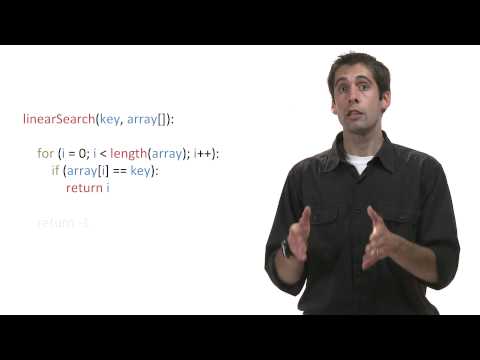
sequentialSearch(array[], SIZE, VALUE)
    INDEX = 0
    loop while (INDEX < SIZE)
        if (array[INDEX] == VALUE) then
            return INDEX
        end if
        INDEX = INDEX + 1
    end loop
    return -1       // not found
ခွဲခြမ်းစိတ်ဖြာချက်:
- တန်ဖိုးကို တွေ့ရင် အဲဒီ တန်ဖိုးရဲ့ index ကို return (ရလဒ်အဖြစ် ပြန်ပေး) လုပ်ပါတယ်
- တန်ဖိုးကို မတွေ့ဘဲ array အဆုံး ရောက်သွားရင် error indicator (ရှာမတွေ့ကြောင်း ပြတဲ့ အမှတ်အသား) အဖြစ် -1 ကို return လုပ်ပါတယ်
- Best case (အကောင်းဆုံး အခြေအနေ): O(1)၊ target က ပထမ element ဖြစ်နေတဲ့အခါ
- Worst case (အဆိုးဆုံး အခြေအနေ): O(n)၊ target က နောက်ဆုံး element ဖြစ်နေတဲ့အခါ ဒါမှမဟုတ် array ထဲမှာ လုံးဝ မရှိတဲ့အခါ
Linear Search Quick Check (အမြန် စစ်ဆေးမေးခွန်း)
Q1. Linear search က target value ကို ဘယ်လို ရှာသလဲ။
Q2. Linear search မှာ array ကို sort လုပ်ထားဖို့ လိုသလား။
Q3. Element 8 ခုရှိတဲ့ array မှာ linear search က comparison အများဆုံး ဘယ်နှစ်ကြိမ် လုပ်ရနိုင်သလဲ။
Linear Search Trace Exercise (code ကို တစ်ဆင့်ချင်း လိုက်ကြည့်ခြင်း)
{10, 1, 32, 41, 16, 60} ထဲမှာ 41 ကို ရှာတဲ့ linear search ကို trace လုပ်ပါ။ Loop တစ်ပတ် run တိုင်း row တစ်ကြောင်းစီကို ဖြည့်ပါ။
| i | numbers[i] | == 41? | found |
|---|---|---|---|
| 0 | |||
| 1 | |||
| 2 | |||
| 3 |
တွေ့တဲ့ index:
Linear Search Code Completion (code ကွက်လပ် ဖြည့်ခြင်း)
Array ထဲမှာ target value ကို ရှာပြီး တွေ့မတွေ့နဲ့ ဘယ် index မှာ တွေ့လဲဆိုတာကို print ထုတ်ပေးတဲ့ linear search code ကို ဖြည့်ပါ။
ဒီ algorithm က array ထဲက element တစ်ခုချင်းစီကို target နဲ့ တိုက်စစ်သွားပါတယ်။ && !found condition က target ကို တွေ့တာနဲ့ loop ကို စောစော ရပ်သွားစေပါတယ်။
int[] data = {5, 18, 3, 27, 11, 42, 9};
int target = 27;
boolean found = ;

for (int i = 0; i <  && !found; i++) {
    if () {
        found = true;
        System.out.println("Found at index: " + );
    }
}
Linear Search Spot the Error (အမှား ရှာခြင်း)
ဒီ linear search က target ကို တွေ့ပေမယ့် တွေ့ပြီးနောက်မှာလည်း loop ကို မလိုအပ်ဘဲ ဆက်ပတ်နေပါတယ်။ အမှားပါတဲ့ line ကို ရွေးပါ၊ ပြီးရင် ပြင်နည်းကို ရွေးပါ။
Line 4 အတွက် မှန်ကန်တဲ့ ပြင်နည်းကို ရွေးပါ:
Linear Search Predict the Output (output ကို ကြိုခန့်မှန်းခြင်း)
ဒီ code က array အသေးလေး တစ်ခုထဲမှာ တန်ဖိုး 20 ကို linear search နဲ့ ရှာပါတယ်။ Target ကို တွေ့တာနဲ့ loop က စောစော ရပ်ပါတယ်။ Output အတိအကျ က ဘာလဲ။
int[] arr = {5, 8, 20, 14, 3};
boolean found = false;
for (int i = 0; i < arr.length && !found; i++) {
    if (arr[i] == 20) {
        found = true;
        System.out.println("Index: " + i);
    }
}
if (!found) {
    System.out.println("Not found");
}
သင့်အဖြေကို ရိုက်ထည့်ပါ:
Linear Search လေ့ကျင့်ခန်းများ
-
နာမည် တစ်ခု ရှာပါ။
String[] names = {"Alice", "Bob", "Charlie", "Diana", "Eve"}ကို သုံးပြီး"Charlie"ကို ရှာကာ တွေ့တဲ့ index ကို print ထုတ်ပေးတဲ့ code ကိုmain(program စ run တဲ့ method) ထဲမှာ ရေးပါ။ မရှိရင်"Not found"လို့ print ထုတ်ပါ။ String တွေကို နှိုင်းယှဉ်ဖို့.equals()ကို သုံးဖို့ မမေ့ပါနဲ့။ -
Comparison အရေအတွက်ကို ရေတွက်ပါ။ Linear search code ကို ပြင်ပြီး target ကို တွေ့တဲ့အထိ (ဒါမှမဟုတ် မတွေ့ဘဲ ပြီးသွားတဲ့အထိ) လုပ်ခဲ့တဲ့ comparison စုစုပေါင်း အရေအတွက်ကို ရေတွက်ပြီး print ထုတ်ပါ။
-
နောက်ဆုံး ပေါ်တဲ့ နေရာကို ရှာပါ။
int[] data = {5, 12, 8, 12, 3, 12, 7}ကို သုံးပြီး 12 ပေါ်တဲ့ နောက်ဆုံး index ကို ရှာပြီး print ထုတ်ပေးတဲ့ linear search ကို ရေးပါ။ (အကြံပြုချက်:!foundကို loop က ထွက်မယ့် condition အဖြစ် မသုံးပါနဲ့။) -
မတွေ့တဲ့ အခြေအနေ။
{15, 33, 8, 72, 50}ထဲမှာ 99 ကို ရှာတဲ့ linear search ကို စာရွက်ပေါ်မှာ trace လုပ်ပါ။ Loop 5 ပတ်လုံးအတွက် ဇယားကို ဖြည့်ပြီး output က “not found” ဖြစ်ကြောင်း စစ်ကြည့်ပါ။
Binary Search (တစ်ဝက်စီ ခွဲပြီး ရှာနည်း)
အလုပ်လုပ်ပုံ
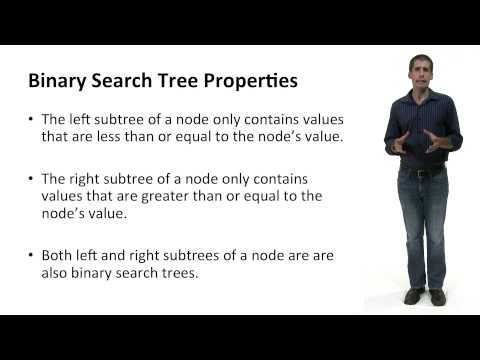
Binary search က sorted ဖြစ်ပြီးသား array ထဲမှာ item တစ်ခုကို ရှာပါတယ်။ Comparison တစ်ကြိမ် လုပ်တိုင်း ဒေတာရဲ့ အပိုင်းကြီးတွေကို ဖယ်ထုတ်သွားပါတယ်။ Target value ကို array ရဲ့ middle element (အလယ်က element) နဲ့ နှိုင်းယှဉ်ပြီး အလုပ်လုပ်ပါတယ်:
- နှစ်ခု တူရင် → တွေ့ပါပြီ။
- Target က middle ထက် ငယ်ရင် → left half (ဘယ်ဘက် တစ်ဝက်) မှာ ဆက်ရှာပါ
- Target က middle ထက် ကြီးရင် → right half (ညာဘက် တစ်ဝက်) မှာ ဆက်ရှာပါ
numbers ထဲမှာ 70 ကို ရှာပုံပါ၊ အောက်က trace table က ရှာပုံနဲ့ အတူတူပါပဲ။ အဆင့်တိုင်းမှာ middle ကို တွက်ပြီး 70 ရှိနိုင်သေးတဲ့ တစ်ဝက်ကို ချန်ထားပါတယ်။ မျဉ်းပြတ်နဲ့ ဆွဲထားတဲ့ အကွက်တွေက first ကနေ last အထိ အပိုင်းရဲ့ အပြင်ဘက်မှာ ရှိလို့ ဆက်မရှာတော့တဲ့ အကွက်တွေပါ။ နောက်ဆုံးပုံက found at index 6 ဆိုတာ index 6 မှာ တွေ့ပြီလို့ ဆိုလိုပါတယ်။
Binary search က sorted array တွေမှာပဲ အလုပ်လုပ်ပါတယ်။ Sort မလုပ်ထားတဲ့ array မှာဆိုရင် မှားတဲ့ တစ်ဝက်ကို ဖယ်ထုတ်မိပြီး target ကို လုံးဝ လွတ်သွားနိုင်ပါတယ်။ Error message လည်း ဘာမှ မပြပါဘူး။ Array က sort လုပ်ထားပြီးသားလား အမြဲ အရင် စစ်ပါ။
main ထဲမှာ တိုက်ရိုက် ရေးထားတဲ့ Java code
int[] numbers = {0, 10, 30, 40, 50, 60, 70, 80, 90, 100};

int target = 70;
int first = 0;
int last = numbers.length - 1;
boolean found = false;
int middle;

while (first <= last && !found) {
    middle = (first + last) / 2;

    if (target == numbers[middle]) {
        found = true;
        System.out.println("Found at index: " + middle);
    } else if (target < numbers[middle]) {
        last = middle - 1;
    } else {
        first = middle + 1;
    }
}

if (!found) {
    System.out.println("The number does not exist.");
}
numbers = [0, 10, 30, 40, 50, 60, 70, 80, 90, 100]

target = 70
first = 0
last = len(numbers) - 1
found = False

while first <= last and found == False:
    middle = (first + last) // 2    # // is integer division - Java's int / rounds down automatically, Python needs //

    if target == numbers[middle]:
        found = True
        print("Found at index:", middle)
    elif target < numbers[middle]:
        last = middle - 1
    else:
        first = middle + 1

if found == False:
    print("The number does not exist.")
Trace: 70 ကို ရှာပုံ
Array: {0, 10, 30, 40, 50, 60, 70, 80, 90, 100}
| အဆင့် | first | last | middle | numbers[middle] | ဆုံးဖြတ်ချက် |
|---|---|---|---|---|---|
| 1 | 0 | 9 | 4 | 50 | 70 > 50 → first = 5 |
| 2 | 5 | 9 | 7 | 80 | 70 < 80 → last = 6 |
| 3 | 5 | 6 | 5 | 60 | 70 > 60 → first = 6 |
| 4 | 6 | 6 | 6 | 70 | Found (တွေ့ပြီ) |
Output: Found at index: 6
Element 10 ခုရှိတဲ့ array ထဲမှာ target ကို ရှာဖို့ comparison 4 ကြိမ်ပဲ လိုပါတယ်။ Linear search ဆိုရင် 7 ကြိမ် လိုပါလိမ့်မယ်။
Trace: 55 ကို ရှာပုံ (မတွေ့ပါ)
| အဆင့် | first | last | middle | numbers[middle] | ဆုံးဖြတ်ချက် |
|---|---|---|---|---|---|
| 1 | 0 | 9 | 4 | 50 | 55 > 50 → first = 5 |
| 2 | 5 | 9 | 7 | 80 | 55 < 80 → last = 6 |
| 3 | 5 | 6 | 5 | 60 | 55 < 60 → last = 4 |
| 4 | first (5) > last (4) | - | - | - | Loop ရပ်သွားပြီး မတွေ့ပါ |
Pseudocode: method ပုံစံ
Linear search လိုပဲ Methods (B2.3.4) ကို လေ့လာပြီးတဲ့အခါ method ပုံစံကို Java နဲ့ ရေးကြပါမယ်။
binarySearch(array[], SIZE, VALUE)
    LOW = 0
    HIGH = SIZE - 1
    loop while (LOW <= HIGH)
        MID = (LOW + HIGH) / 2
        if (array[MID] == VALUE) then
            return MID
        else if (array[MID] < VALUE) then
            LOW = MID + 1
        else
            HIGH = MID - 1
        end if
    end loop
    return -1       // not found
ခွဲခြမ်းစိတ်ဖြာချက်:
- အဆင့်တိုင်းမှာ search space (ရှာရဦးမယ့် အပိုင်း) က တစ်ဝက် လျော့သွားပါတယ်
- Middle value က target နဲ့ တူရင် middle index ကို return လုပ်ပါတယ်
- Target က ငယ်ရင် ဘယ်ဘက် တစ်ဝက်မှာ ဆက်ရှာပါတယ် (
HIGH = MID - 1) - Target က ကြီးရင် ညာဘက် တစ်ဝက်မှာ ဆက်ရှာပါတယ် (
LOW = MID + 1) - Target ကို မတွေ့ဘဲ loop ပြီးသွားရင် -1 ကို return လုပ်ပါတယ်
- Best case: O(1)၊ target က အလယ်မှာ အတိအကျ ရှိနေတဲ့အခါ
- Average case (ပျမ်းမျှ အခြေအနေ) နဲ့ worst case: O(log n)၊ တစ်ကြိမ်ချင်း တစ်ဝက်စီ လျော့သွားလို့ပါ
Binary Search Quick Check
Q1. Binary search ရဲ့ worst-case time complexity (input ကြီးလာရင် ကြာချိန် တိုးပုံ) က ဘာလဲ။
Q2. Unsorted array {50, 12, 34, 7, 90} ထဲမှာ 7 ကို binary search နဲ့ ရှာရင် ဘာဖြစ်မလဲ။
Q3. Binary search မှာ first <= last condition က ဘာကို စစ်တာလဲ။
Q4. Sorted array တစ်ခုမှာ element 128 ခု ရှိပါတယ်။ Binary search က comparison အများဆုံး ဘယ်နှစ်ကြိမ် လိုသလဲ။
Binary Search Trace Exercise (တွေ့တဲ့ ဥပမာ)
{10, 20, 30, 40, 50, 60, 70} ထဲမှာ 30 ကို ရှာပါ။ Index တွေက: 0=10, 1=20, 2=30, 3=40, 4=50, 5=60, 6=70။ ဆုံးဖြတ်ချက် ကော်လံမှာ left၊ right ဒါမှမဟုတ် found ကို English လို ရိုက်ထည့်ပါ။
| အဆင့် | first | last | middle | numbers[middle] | ဆုံးဖြတ်ချက် |
|---|---|---|---|---|---|
| 1 | |||||
| 2 | |||||
| 3 |
တွေ့တဲ့ index:
Binary Search Trace Exercise (မတွေ့တဲ့ ဥပမာ)
{10, 20, 30, 40, 50, 60, 70} ထဲမှာ 45 ကို ရှာပါ။ Loop ရပ်တဲ့အထိ အဆင့်တိုင်းကို ဖြည့်ပါ။
Index တွေ: 0=10, 1=20, 2=30, 3=40, 4=50, 5=60, 6=70
| အဆင့် | first | last | middle | numbers[middle] | ဆုံးဖြတ်ချက် |
|---|---|---|---|---|---|
| 1 | |||||
| 2 | |||||
| 3 |
အဆင့် 3 ပြီးတဲ့အခါ last က ဖြစ်သွားပါတယ်။ အဲဒါက first () ထက် ငယ်လို့ loop ရပ်သွားပါတယ်။
45 ကို တွေ့ခဲ့သလား။ (yes ဒါမှမဟုတ် no ကို English လို ရိုက်ပါ)
Binary Search Code Completion
Sorted array ထဲမှာ target value ကို ရှာတဲ့ binary search code ကို ဖြည့်ပါ။
ဒီ algorithm က target ကို middle element နဲ့ နှိုင်းယှဉ်ပြီး search space ကို ထပ်ခါထပ်ခါ တစ်ဝက်စီ လျှော့သွားပါတယ်။ Target ရှိတဲ့ နေရာဆီ တဖြည်းဖြည်း ကျဉ်းလာအောင် first နဲ့ last boundary တွေကို ပြောင်းပေးပါတယ်။
int[] sorted = {5, 12, 18, 27, 33, 42, 56};
int target = 33;
int first = 0;
int last = sorted.length - 1;
boolean found = false;

while ( && !found) {
    int middle = ;

    if (target == sorted[middle]) {
        found = true;
        System.out.println("Found at index: " + middle);
    } else if (target < sorted[middle]) {
        ;
    } else {
        ;
    }
}
Binary Search Spot the Error
ဒီ binary search မှာ boundary ကို ပြောင်းတဲ့ နေရာမှာ အမှား ရှိလို့ array ရဲ့ မှားတဲ့ တစ်ဝက်ကို ရှာမိပါတယ်။ အမှားပါတဲ့ line ကို ရွေးပါ၊ ပြီးရင် ပြင်နည်းကို ရွေးပါ။
Line 8 အတွက် မှန်ကန်တဲ့ ပြင်နည်းကို ရွေးပါ:
Binary Search Predict the Output
ဒီ code က sorted array တစ်ခုထဲမှာ 25 ကို binary search နဲ့ ရှာပါတယ်။ Loop ပတ်တဲ့ အကြိမ်တွေကို သေသေချာချာ trace လုပ်ပါ။ Output အတိအကျ က ဘာလဲ။
int[] sorted = {10, 20, 30, 40, 50, 60, 70};
int target = 25;
int first = 0;
int last = sorted.length - 1;
boolean found = false;
while (first <= last && !found) {
    int middle = (first + last) / 2;
    if (target == sorted[middle]) {
        found = true;
    } else if (target < sorted[middle]) {
        last = middle - 1;
    } else {
        first = middle + 1;
    }
}
System.out.println(found);
သင့်အဖြေကို ရိုက်ထည့်ပါ:
Binary Search လေ့ကျင့်ခန်းများ
-
စာရွက်ပေါ်မှာ trace လုပ်ပါ။ Sorted array
{5, 12, 18, 24, 33, 42, 56, 71}ထဲမှာ 42 ကို ရှာတဲ့ binary search ကို trace လုပ်ပါ။ အဆင့်တိုင်းမှာfirst၊last၊middleနဲ့ ချခဲ့တဲ့ ဆုံးဖြတ်ချက်ကို ရေးပြပါ။ -
မတွေ့တဲ့ အခြေအနေကို trace လုပ်ပါ။ အဲဒီ sorted array
{5, 12, 18, 24, 33, 42, 56, 71}ကိုပဲ သုံးပြီး 25 (array ထဲမှာ မရှိပါ) ကို ရှာတဲ့ binary search ကို trace လုပ်ပါ။ Loop ရပ်တဲ့အထိ အဆင့်အားလုံးကို ပြပါ။ - Parallel arrays (index တူတဲ့ နေရာတွေမှာ ဆက်စပ်တဲ့ ဒေတာ သိမ်းထားတဲ့ array များ)။ Array နှစ်ခုမှာ ကျောင်းသား ID တွေနဲ့ နာမည်တွေကို သိမ်းထားပါတယ်:
int[] id = {1001, 1002, 1050, 1100, 1120, 1180, 1200, 1400};
String[] name = {"Apple", "Cherry", "Peach", "Banana", "Fig", "Grape", "Olive", "Mango"};
Target ID တစ်ခုကို ယူပြီး သက်ဆိုင်တဲ့ နာမည်ကို print ထုတ်ပေးတဲ့ binary search ကို ရေးပါ။ ID ကို မတွေ့ရင် “not found” message တစ်ခုကို print ထုတ်ပါ။
-
ရှာပြီး ရလဒ်ကို ပြပါ။ Sorted array
{3, 8, 15, 22, 29, 36, 43, 50}ကို သုံးပြီး user ရိုက်ထည့်တဲ့ target ကို binary search နဲ့ ရှာတဲ့ code ကို ရေးပါ။ Comparison ဘယ်နှစ်ကြိမ် လုပ်ခဲ့လဲဆိုတာကို print ထုတ်ပြီး တန်ဖိုးကို တွေ့မတွေ့နဲ့ ဘယ် index မှာ တွေ့လဲဆိုတာကို print ထုတ်ပါ။ - Binary search က unsorted ဒေတာမှာ ဘာကြောင့် မှားသလဲ။ Binary search က အဖြေမှား ထုတ်ပေးတဲ့ element 5 ခုပါ ဥပမာ အတိအကျ တစ်ခု ပေးပါ။ ပြီးရင် ဘယ်တစ်ဝက်ကို မှားပြီး ဖယ်ထုတ်မိသလဲဆိုတာကို Explain (ရှင်းပြပါ)။
Linear search နဲ့ binary search နှိုင်းယှဉ်ချက်
| အချက် | Linear (sequential) | Binary |
|---|---|---|
| ဒေတာ များတဲ့အခါ မြန်နှုန်း | အများကြီး ပိုနှေးပါတယ်၊ element တိုင်းကို စစ်ပါတယ် | အများကြီး ပိုမြန်ပါတယ်၊ အဆင့်တိုင်း တစ်ဝက်စီ လျှော့ပါတယ် |
| Time complexity | O(n) | O(log n) |
| လိုအပ်တဲ့ comparison အရေအတွက် | n ကြိမ်အထိ | log&sub2;(n) ကြိမ်ခန့်အထိ |
| Sorted data လိုသလား | မလိုပါ၊ ဘယ် array မှာမဆို သုံးလို့ရပါတယ် | လိုပါတယ်၊ အရင် sort လုပ်ထားရပါမယ် |
| Sorting ကုန်ကျစရိတ် | မရှိပါ | Sorting လုပ်ရတာက computational cost (ကွန်ပျူတာ လုပ်ရတဲ့ အလုပ်နဲ့ အချိန်) ကို တိုးစေပါတယ် |
| ရိုးရှင်းမှု | တည်ဆောက်ရ ပိုလွယ်ပါတယ် | Logic ပိုရှုပ်ပါတယ် |
| Algorithm ရဲ့ နည်းဗျူဟာ | Iterative / brute force | Divide and conquer |
Array အရွယ်အစား ကြီးလာတဲ့အခါ ဥပမာ
| Array အရွယ်အစား (n) | Linear (worst case) | Binary (worst case) |
|---|---|---|
| 10 | comparison 10 ကြိမ် | comparison 4 ကြိမ် |
| 100 | comparison 100 ကြိမ် | comparison 7 ကြိမ် |
| 1,000 | comparison 1,000 ကြိမ် | comparison 10 ကြိမ် |
| 1,000,000 | comparison 1,000,000 ကြိမ် | comparison 20 ကြိမ် |
Sorted element 1 သန်းပေါ်မှာ binary search လုပ်ရင် comparison အများဆုံး 20 ကြိမ်ပဲ လိုပါတယ်။ O(log n) နှုန်းနဲ့ တိုးတယ်ဆိုတာ လက်တွေ့မှာ ဒါကို ဆိုလိုတာပါ: element အရေအတွက်ကို နှစ်ဆ တိုးလိုက်ရင် comparison အများဆုံး တစ်ကြိမ်ပဲ ပိုလိုပါတယ်၊ ဘာလို့လဲဆိုတော့ အဆင့်တိုင်းမှာ ကျန်နေတဲ့ ရှာမယ့် အပိုင်းကို တစ်ဝက်စီ လျှော့လို့ပါ။
Search နှစ်မျိုးလုံး သုံးရတဲ့ လေ့ကျင့်ခန်းများ
ဒီလေ့ကျင့်ခန်းတွေမှာ search algorithm နှစ်မျိုးလုံးကို သုံးရပါမယ်၊ ဒါမှမဟုတ် နှစ်ခုကို တိုက်ရိုက် နှိုင်းယှဉ်ရပါမယ်။
နှစ်မျိုးလုံးအတွက် Quick Check
Q1. ကျောင်းသားတစ်ယောက်က “binary search က linear search ထက် အမြဲ ပိုကောင်းတယ်” လို့ ပြောပါတယ်။ ဒီပြောချက်မှာ ဘာအမှား ရှိသလဲ။
Q2. Binary search မလုပ်ခင် sort လုပ်ရတဲ့ ကုန်ကျစရိတ်က ဘယ်အချိန်မှာ တန်သွားသလဲ။
Q3. Sorted array တစ်ခုမှာ element 1024 ခု ရှိပါတယ်။ Binary search က comparison အများဆုံး ဘယ်နှစ်ကြိမ် လိုသလဲ။
နှစ်မျိုးလုံးအတွက် လေ့ကျင့်ခန်းများ
-
Search နှစ်မျိုးကို နှိုင်းယှဉ်ပါ။ Element 20 ခုပါတဲ့ sorted array (တန်ဖိုး 5, 10, 15, …, 100) တစ်ခုကို ဖန်တီးတဲ့ program ကို ရေးပါ။ User ရိုက်ထည့်တဲ့ တန်ဖိုးကို linear search နဲ့ရော binary search နဲ့ပါ ရှာပါ။ တစ်ခုချင်းစီအတွက် လုပ်ခဲ့တဲ့ comparison အရေအတွက်ကို ရေတွက်ပြီး efficiency (ထိရောက်မှု) နှိုင်းယှဉ်ချက်ကို print ထုတ်ပါ။
- မှန်ကန်တဲ့ algorithm ကို ရွေးပါ။ အခြေအနေ တစ်ခုချင်းစီအတွက် linear search နဲ့ binary search ထဲက ဘယ်ဟာကို သုံးမလဲဆိုတာ State (ဖော်ပြပါ)၊ ပြီးရင် ဘာကြောင့်လဲဆိုတာ Explain လုပ်ပါ:
- (a) ဖုန်းလမ်းညွှန် စာအုပ်ထဲမှာ နာမည်တစ်ခု ရှာခြင်း
- (b) ရောမွှေထားတဲ့ ဖဲထုပ်ထဲက ဖဲချပ် တစ်ချပ်ကို ရှာခြင်း
- (c) အဘိဓာန်ထဲမှာ စကားလုံး တစ်လုံး ရှာခြင်း
- (d) Sort မလုပ်ထားတဲ့ ကျောင်းတက် စာရင်းထဲမှာ ကျောင်းသား ID တစ်ခု ရှိမရှိ စစ်ခြင်း
-
Sort လုပ်ထားတဲ့ စာရင်းထဲမှာ ရှာခြင်း။ အက္ခရာစဉ်အတိုင်း စီထားတဲ့ စာအုပ်အမည် 8 ခုပါ array တစ်ခုကို ဖန်တီးပါ။ User က စာအုပ်အမည် တစ်ခု ရိုက်ထည့်ရင် binary search နဲ့ အဲဒီ အမည် ရှိမရှိ စစ်ပေးတဲ့ code ကို ရေးပါ။ တွေ့ရင် “Book found.” လို့ print ထုတ်ပါ။ မတွေ့ရင် “Book not in collection.” လို့ print ထုတ်ပါ။ String နှိုင်းယှဉ်ဖို့
.equals()ကို၊ ဘယ်တစ်ဝက်ကို ရှာမလဲ ဆုံးဖြတ်ဖို့.compareTo()ကို သုံးဖို့ မမေ့ပါနဲ့။ - ထိရောက်မှုကို ခွဲခြမ်းစိတ်ဖြာပါ။ Online ဆိုင်တစ်ဆိုင်မှာ sort လုပ်ပြီးသား product ID 1,000,000 ပါတဲ့ database (ဒေတာ သိမ်းဆည်းတဲ့ စနစ်) တစ်ခု ရှိပါတယ်။ Customer တစ်ယောက်က product တစ်ခုကို ရှာပါတယ်။ (a) Worst case မှာ linear search က comparison ဘယ်နှစ်ကြိမ် လိုမလဲ။ (b) Binary search က ဘယ်နှစ်ကြိမ် လိုမလဲ။ (c) Comparison တစ်ကြိမ်ကို 1 microsecond (တစ်စက္ကန့်ရဲ့ တစ်သန်းပုံ တစ်ပုံ) ကြာရင် worst case မှာ algorithm တစ်ခုချင်းစီ ဘယ်လောက် ကြာမလဲ။
GitHub Classroom
A class assignment on GitHub Classroom: use it when your teacher has set it. It needs a free GitHub account.
Working in the Codespace
- Accept and open. Accept the assignment above, open the link in the email from GitHub, then press Open in Codespace. In Java, change the status bar from Lightweight to Standard mode.
- Write and check. Open
src/FindName.javaand complete eachTODO. Press Run and compare the output with the comments, or runbash run-tests.shin the Terminal. - Submit. In Source Control, write a message, press Commit, then Sync Changes. Your teacher’s feedback arrives as a pull request called Feedback.
There are five exercise files in src/: start with FindName.java and work down the list in the README.
ဆက်စပ် ခေါင်းစဉ်များ
- အရင် လေ့လာထားရမယ့် ခေါင်းစဉ်များ: 1D Arrays (ရှာရမယ့် ဒေတာက array ထဲမှာ ရှိလို့ပါ)၊ Iteration (ထပ်ခါထပ်ခါ လုပ်ခြင်း၊ algorithm နှစ်ခုလုံး loop နဲ့ အလုပ်လုပ်လို့ပါ)၊ Selection (condition ပေါ်မူတည်ပြီး လမ်းကြောင်း ရွေးခြင်း၊ နှိုင်းယှဉ်ဖို့ if/else ကို သုံးလို့ပါ)
- ဆက်စပ် ခေါင်းစဉ်: Sorting Algorithms (ဒေတာကို အစဉ်လိုက် စီတဲ့ algorithm များ၊ binary search ကို မသုံးခင် sort လုပ်ထားဖို့ လိုလို့ပါ)
- နောက်ထပ် လေ့လာမယ့် ခေါင်းစဉ်: Methods (B2.3.4) ကို လေ့လာပြီးတဲ့အခါ search algorithm နှစ်ခုလုံးကို refactor (code ရဲ့ ရလဒ် မပြောင်းဘဲ ပုံစံကို ပြင်ရေးခြင်း) လုပ်ပြီး ပြန်သုံးလို့ရတဲ့ method တွေ ဖြစ်အောင် ပြောင်းကြပါမယ်
- Big O notation (algorithm ရဲ့ ကြာချိန် တိုးနှုန်းကို ပြတဲ့ သင်္ကေတ) ကို sorting algorithm တွေ ပြီးမှ အသေးစိတ် လေ့လာပါမယ်။ အခုအတွက်တော့ linear search က O(n) ဖြစ်ပြီး binary search က O(log n) ဖြစ်တယ်ဆိုတာ သိထားပါ